Are you based in the U.S., Canada, UK, or Australia?

Currently, HoneyBook only supports professionals located in these countries.

We’re not in your country yet.

HoneyBook is currently available for business owners in the U.S., Canada, UK and Australia — but we’re hard at work expanding to new countries.

Tell us where you’re based, and we’ll keep you posted on our next launch locations.

*
Enter company email to continue
*
Enter location to continue
Thank you! Your submission has been received!
Oops! Something went wrong while submitting the form.
We’re not in your country yet.

HoneyBook is currently available for business owners in the U.S. and Canada — but we’re hard at work expanding to new countries.

Tell us where you’re based, and we’ll keep you posted on our next launch locations.

Thank you! Your submission has been received.
honeybook for VENUES

One login for running your venue

HoneyBook runs your venue’s booking from first inquiry to event day, so you spend less time on paperwork and more time selling your venue.

Free migration assistance · 30-day free trial*
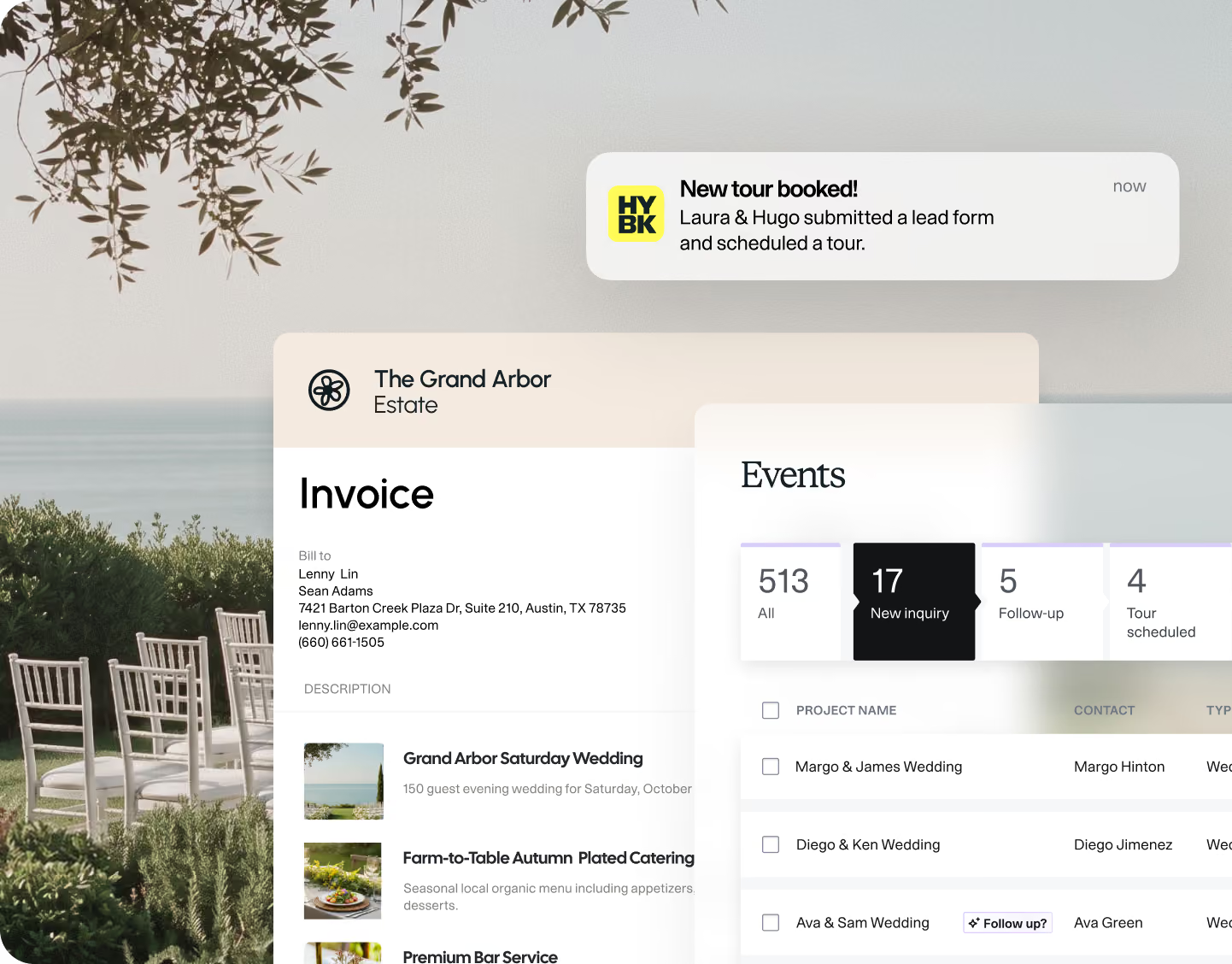
Partial screenshot of an invoice and event management interface for The Grand Arbor Estate, overlaid on an outdoor scene with chairs and greenery by water. The invoice is billed to Lenny Lin and Sean Adams and lists services including a wedding and catering. An events panel shows 513 total events with 17 new inquiries, including weddings for Margo & James, Diego & Ken, and Ava & Sam. A notification at the top indicates Laura & Hugo have submitted a lead form and scheduled a tour.
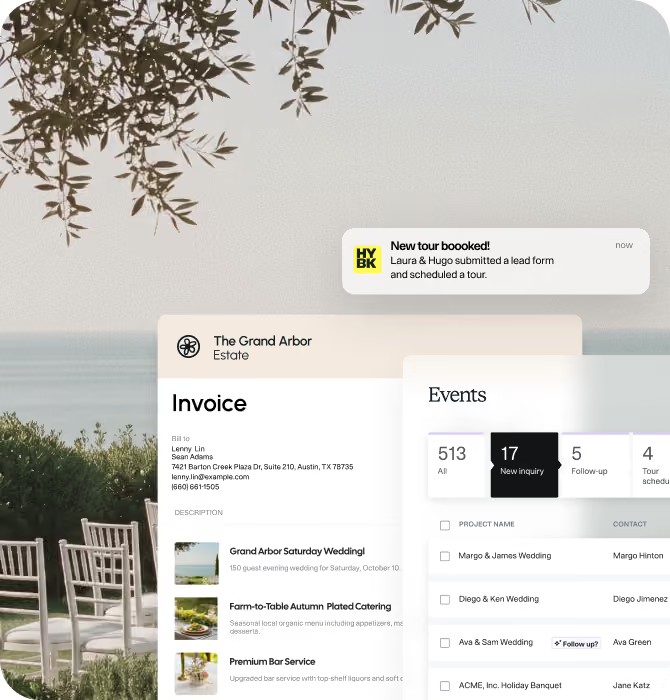
Outdoor patio with wooden chairs under olive tree branches, overlooking a calm sea, with overlay of business interface screens showing an invoice for The Grand Arbor Estate listing events, catering services, and tours, plus a notification about a new booked tour by Laura & Hugo.

Trusted by over 4,000 venues

4.4
4.8

Run a venue, not an admin office

You're the sales team, the tour guide, and the accountant, and it's not even lunch. HoneyBook keeps your leads, contracts, payments, and messages in one place.

Capture Leads

Capture every inquiry

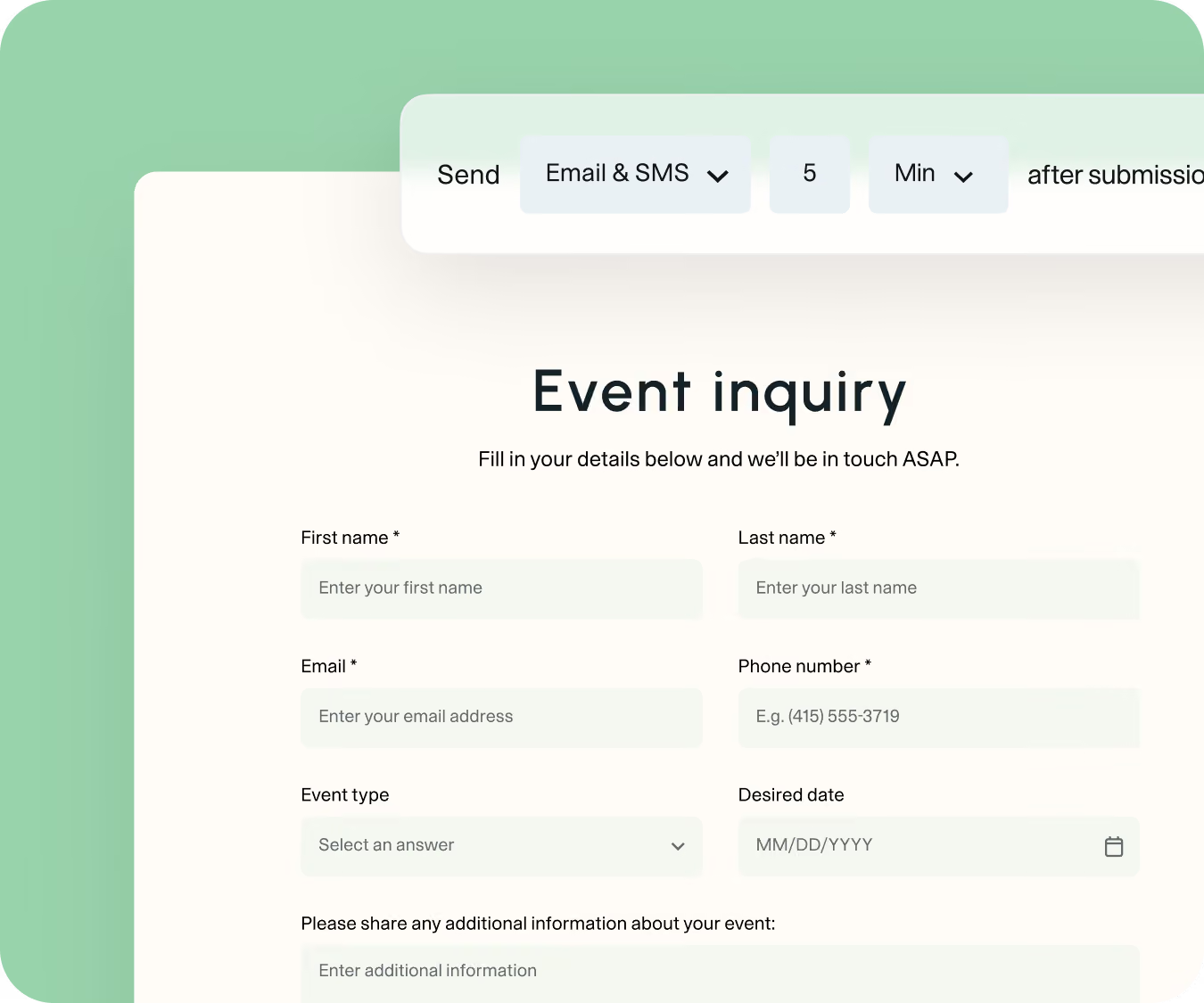
Turn scattered inquiries into an organized system that captures, filters, and turns leads into booked events.

Event inquiry form with fields for first name, last name, email, phone number, event type with dropdown, desired date with calendar icon, and a text box for additional information, plus options to send via Email & SMS after 5 minutes.
Manage events

Manage bookings from start to finish

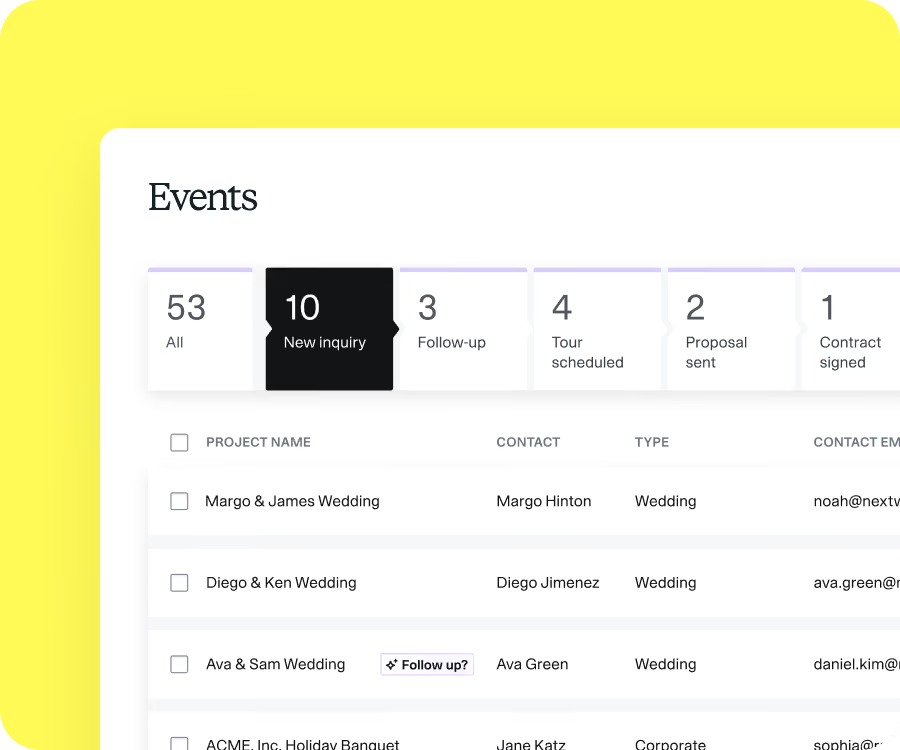
Give clients and your team one shared home for contracts, payments, and event details, so nothing slips through the cracks.
Get Paid

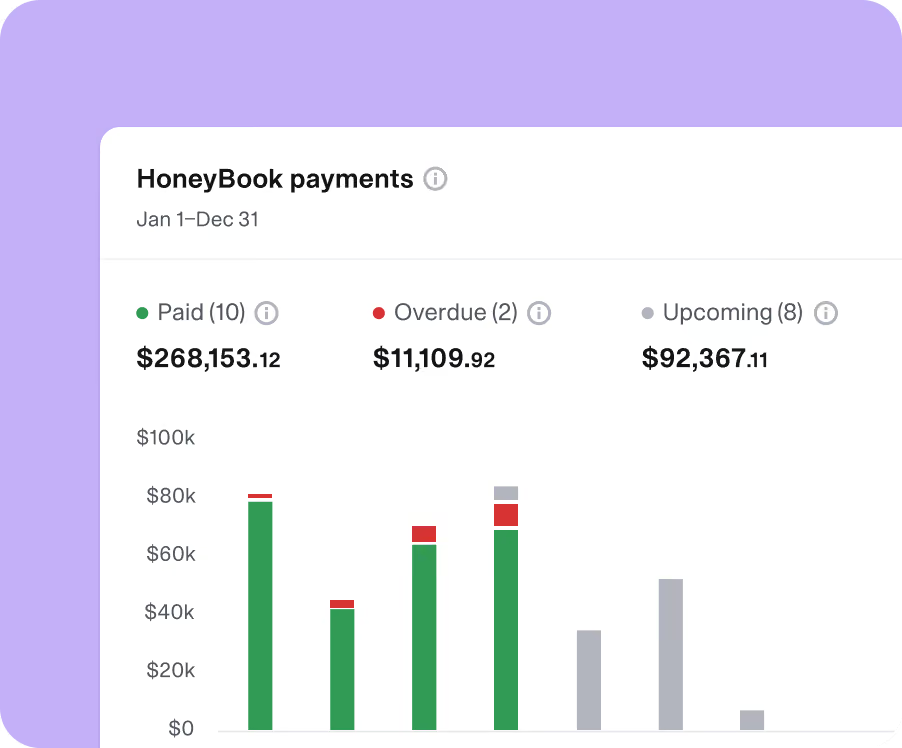
Get paid faster with secure online payments

Send proposals that include contracts and invoices, with flexible payment options, and automatic payment reminders.
AUTOMATE WORKFLOWS

Book more events by responding instantly

Follow-up with leads the moment an inquiry comes in. Automate the steps from client onboarding to after a contract is paid.
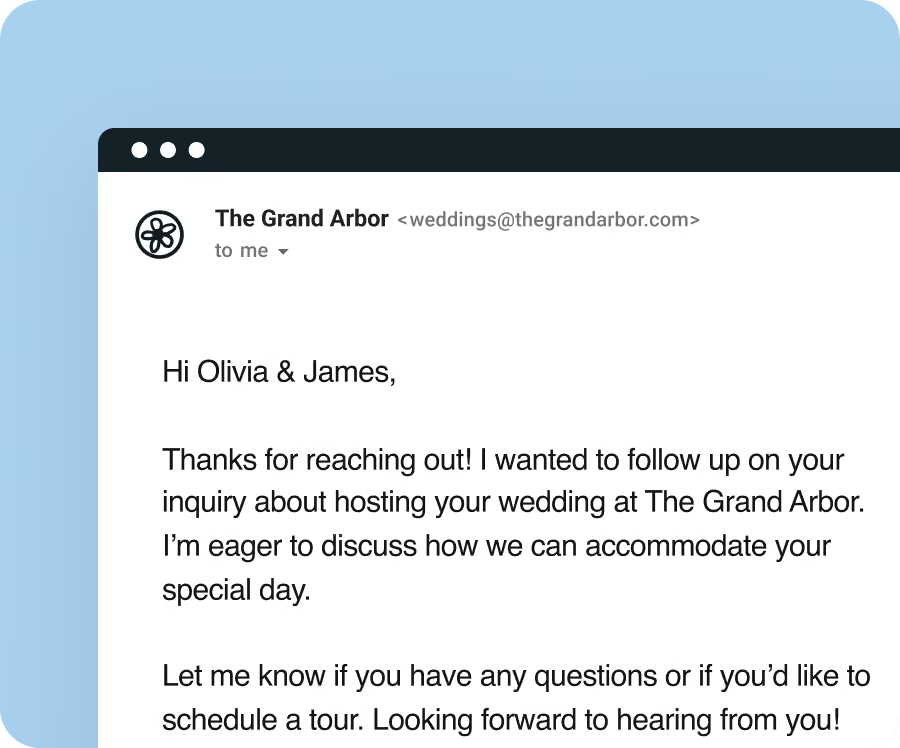
Screenshot of an email from The Grand Arbor sent to Olivia and James, following up on their wedding inquiry, expressing eagerness to discuss accommodations and offering to schedule a tour.
CLIENT PORTALS

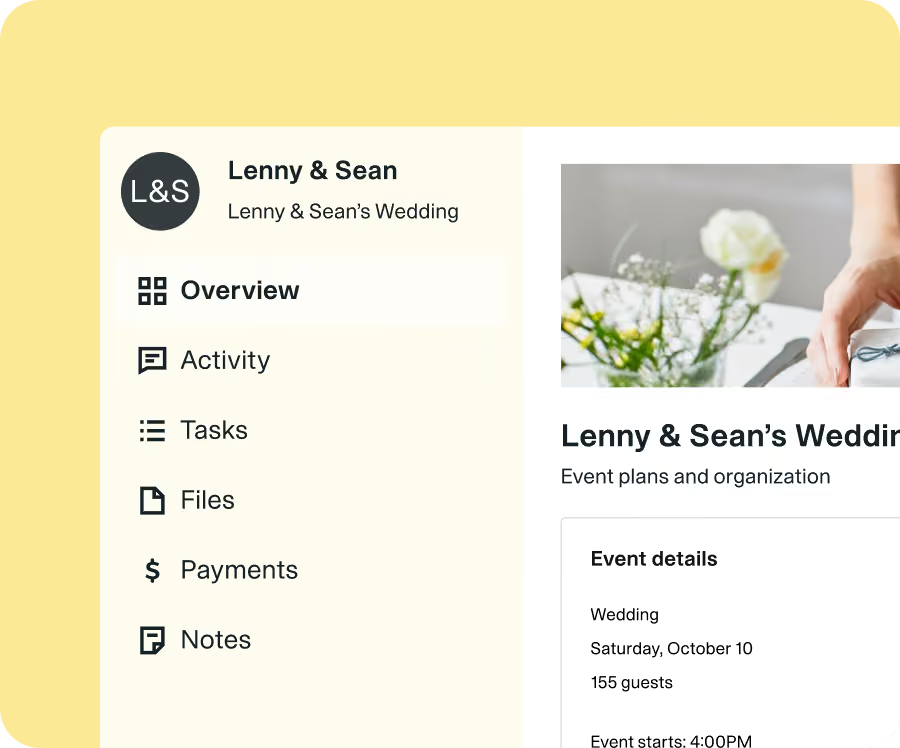
Give clients a polished booking experience

A branded client portal keeps your reputation consistent from the first hello to the final walkthrough.
Deliver Floor plans

Share floor plans with couples and planners

Easily create and share floor plans right where you manage bookings. Clients can view right in their portal, no external tools needed.
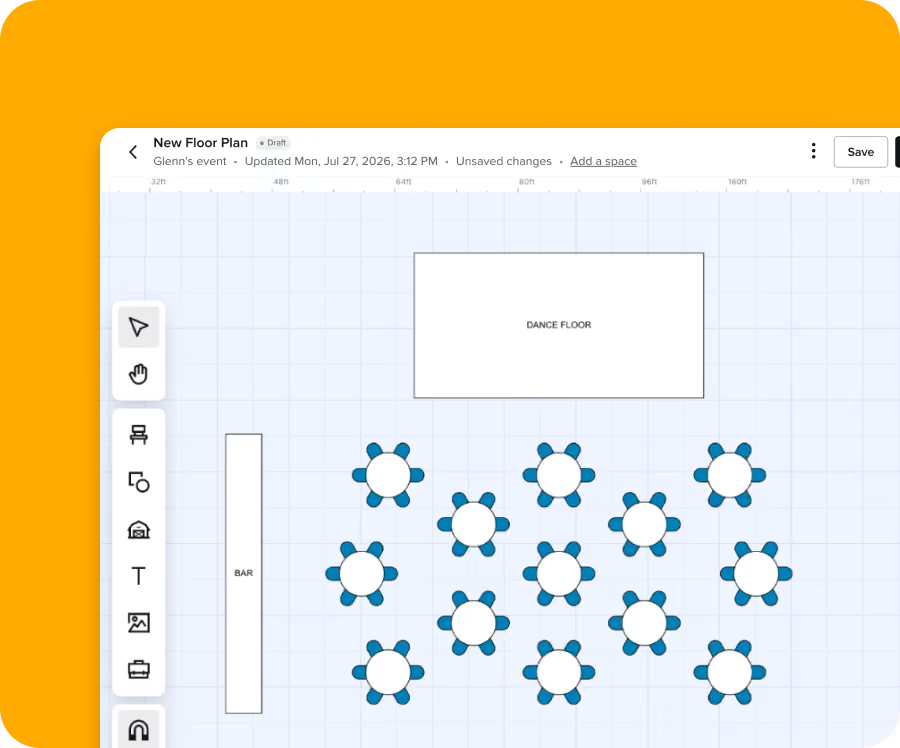
Digital floor plan showing a rectangular dance floor at the top center, a rectangular bar on the left, and 15 round tables each with six blue chairs arranged in a grid below the dance floor.
BANQUET EVENT ORDERS

Your BEO, built where the booking lives

Timelines, staffing, and vendors in one document clients can fill in and sign off on before the big day.
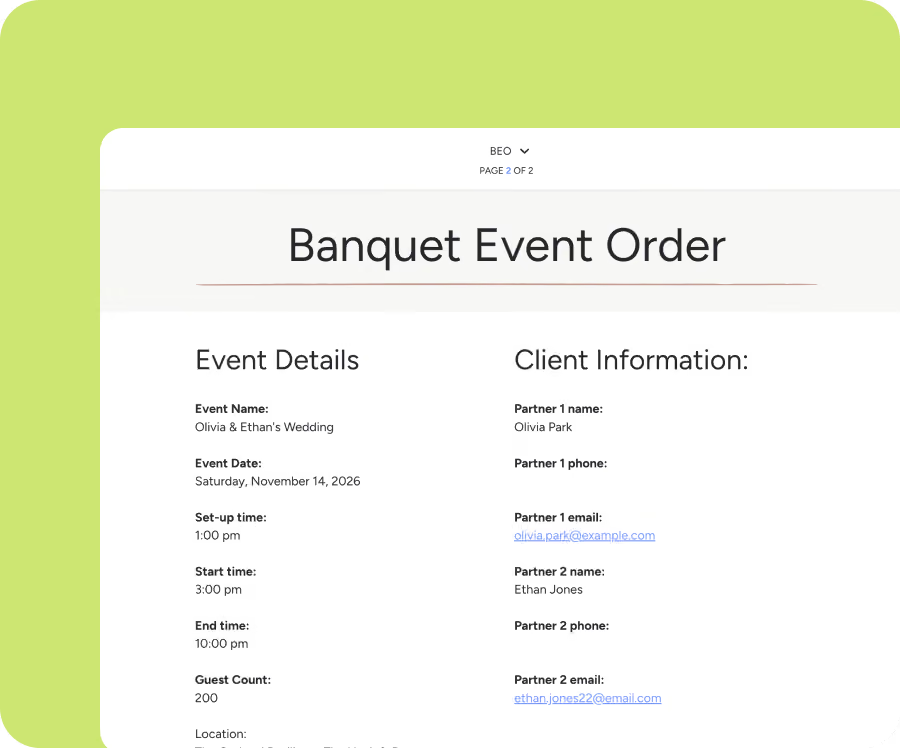
Banquet Event Order document showing event and client details for Olivia & Ethan's wedding on Saturday, November 14, 2026, with set-up at 1:00 pm, start at 3:00 pm, end at 10:00 pm, and 200 guests. Client details list partners Olivia Park and Ethan Jones with their emails.
NEW · Schedule Group Tours

Book more tours in the same slot with group tours

Open one time slot to multiple couples, set a max per slot, and let HoneyBook handle the confirmations, reminders, and reopened spots when someone cancels.
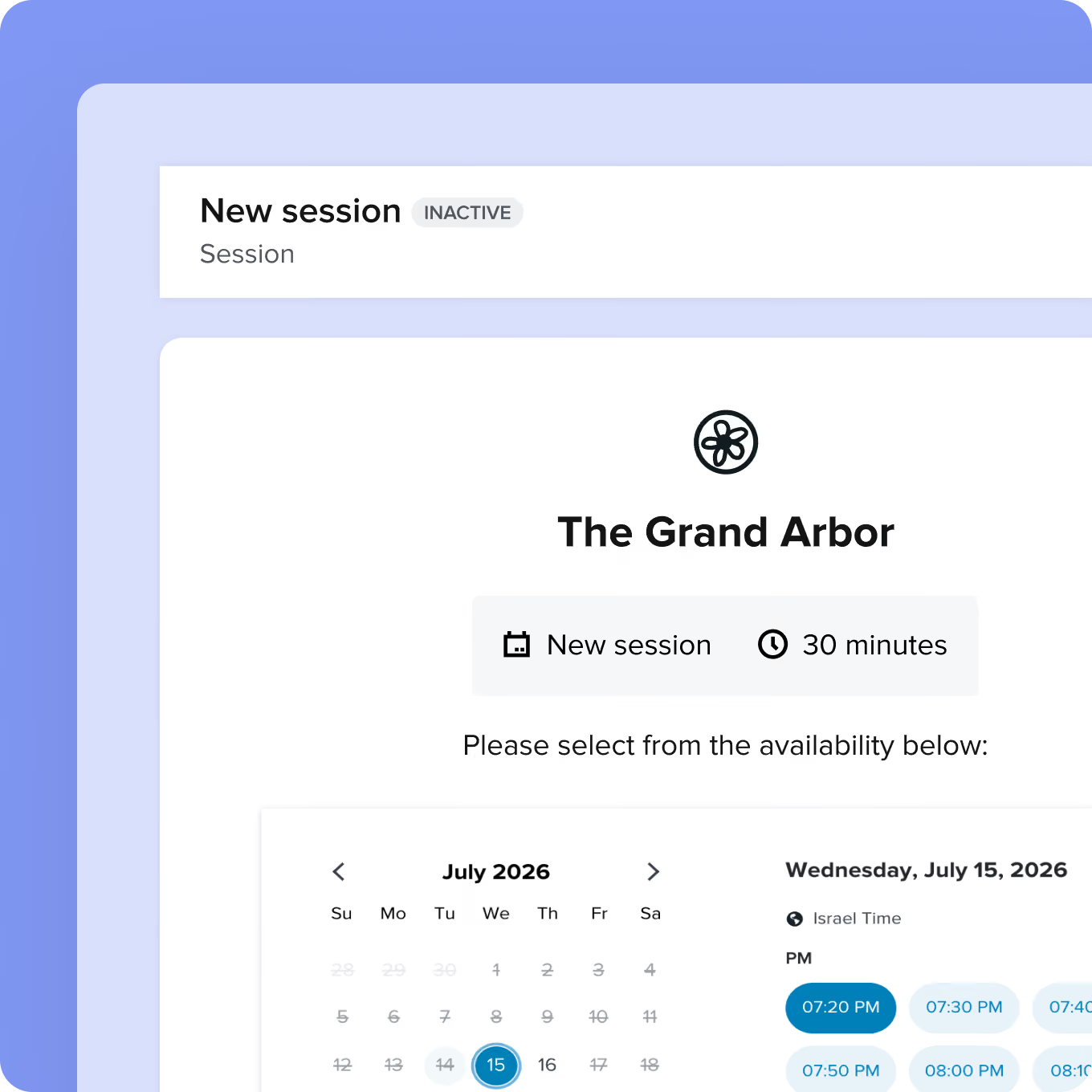
User interface for booking a new session titled 'The Grand Arbor' showing a calendar for July 2026 with July 15 selected and time slots in Israel time for that day including 7:20 PM, 7:30 PM, 7:40 PM, 7:50 PM, 8:00 PM, and 8:10 PM. The session duration is 30 minutes and is marked inactive.
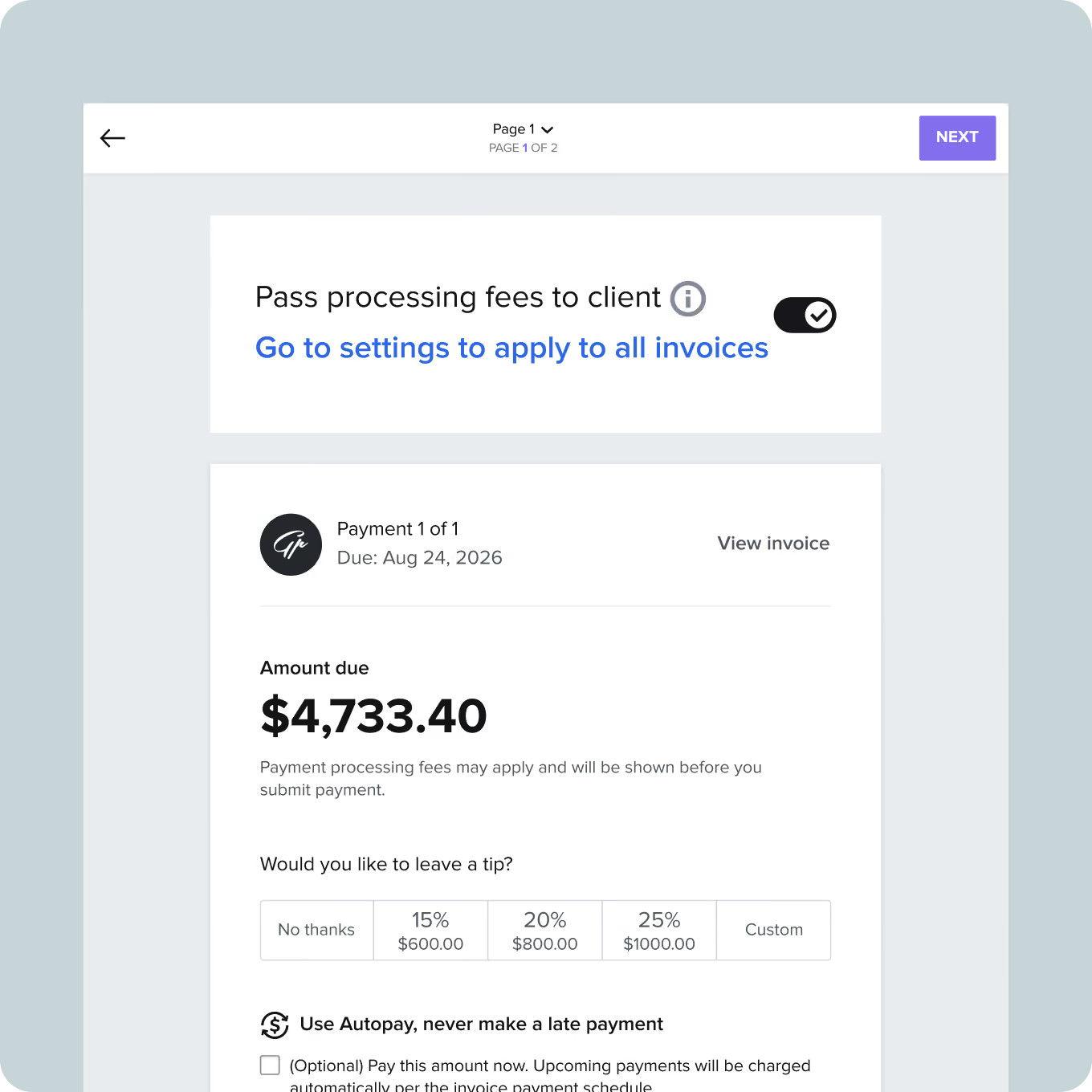
A payment screen showing a toggle to pass processing fees to client, set to on, with a link to settings. Below is payment 1 of 1 due Aug 24, 2026, with amount due $4,733.40. Text indicates processing fees may apply before submission. Tip options include No thanks, 15% ($600), 20% ($800), 25% ($1000), and Custom. An autopay option with checkbox to pay now and automatically for upcoming payments is at the bottom. Navigation includes Back arrow, page indicator 1 of 2, and a purple Next button.
NEW · Pass on Processing FEes

Let clients cover payment processing fees, not you

Add the card processing fee to every invoice automatically, disclosed clearly at checkout, so you keep more of what you're owed.

Side-by-side logos: on the left, 'HYBK' in bold black letters inside a rounded yellow square; on the right, the OpenAI logo in black inside a rounded white square.
OpenAI's pick for small business

HoneyBook now works inside ChatGPT

Ask who's overdue, what you quoted a client, what's booked Saturday. The answers come from your account, not the internet.
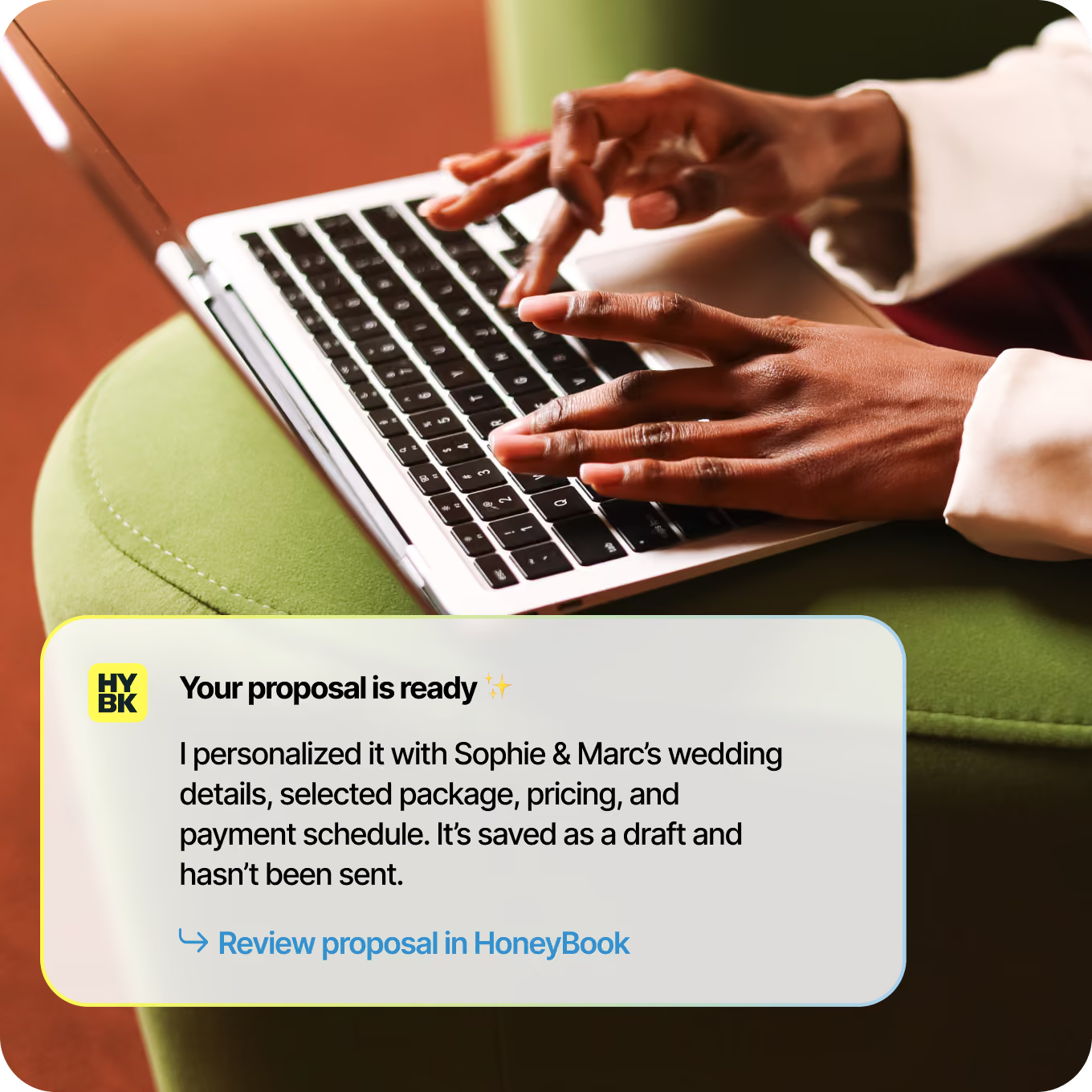
Close-up of hands typing on a laptop keyboard with a notification overlay stating: 'Your proposal is ready. I personalized it with Sophie & Marc’s wedding details, selected package, pricing, and payment schedule. It’s saved as a draft and hasn’t been sent. Review proposal in HoneyBook.'
Create a personalized proposal for Sophie & Marc’s wedding.
Connect the apps you use every day
Easily bring your work over, integrate your tools, and get time back to focus on what you love.

Grow on the go

With the HoneyBook app for iOS and Android, you can respond to leads, keep conversations moving, and collect payments on the go.

App Store badgeGoogle Play badge

Client-ready templates for venues

Get started quickly with polished templates for contracts, invoices, and more.

Start for free

Move to HoneyBook with confidence

Real humans, here to help you every step of the way

Book a demo

Book a free consultation

Talk with a specialist who knows how venues run. They'll walk you through how your bookings, contracts, and payments would work in HoneyBook.

Free account migration and setup

Bring your forms, templates, and client list over at no extra cost. Our team handles the heavy lifting, so your first day in HoneyBook looks like a fully running venue, not a blank screen.

Get human support, 
7 days a week

Real people are here to help you troubleshoot, learn, and smoothly transition your venue business any day of the week.

Questions venues ask us

Is HoneyBook built for venues?

Yes. HoneyBook for Venues brings your inquiries, tours, contracts, invoices, payments, and a branded client portal into one place, so you can manage every booking from first lead to signed contract. Clients can book tours online, e-sign their contract, and pay their deposit in only a few clicks.

How does HoneyBook help me turn more inquiries into booked events?

Every inquiry lands in one pipeline so nothing slips through, and you can reply fast with branded proposals, contracts, and invoices. Then, let automated follow-ups and payment reminders do the chasing.

What is HoneyBook’s migration service?

It’s a free, one-time service where our team takes your existing business files and turns them into ready-to-use HoneyBook templates. Just upload what you have, and we’ll format everything so it’s interactive, reusable, and set up in your account.

Will my clients have one place to see their contract, payments, and event details?

Yes. The branded client portal gives every client a single hub for their contract, payment schedule, and event information, and anyone on your team can pick up right where a conversation left off.

I already use a floor plan platform. Why switch?

One less login and subscription. Your floor plans live next to your contracts, payments, and client conversations.

Can I switch from my current venue CRM?

Yes. HoneyBook covers your appointment booking system, contracts, invoicing, and automations, and adds even more, like client floor plans. Import your contacts and events, and our team can help you migrate.

What venue business tools does HoneyBook replace?

Your CRM, scheduling app, contract and invoicing tools, and floor plan platform - one subscription instead of five.

How much does HoneyBook cost?

Plans start at $29/mo billed yearly, with a 30-day free trial and no credit card required. Every plan includes unlimited clients and projects.

How long does it take to set up HoneyBook on my own?

Most basic account setup can be completed in about 30–60 minutes. If you’re setting up automations or other advanced features, plan for a little extra time.

Stunning venue. Effortless backend.

Start for free
Free migration assistance · 30-day free trial*
*Limited time offer, terms apply.