












.avif)
Automatic workflows
Real-time sync
No-code AI automation
Single source of truth for your data
Save 20+ hours a week
Start free trial
Get started in a few easy steps
QuickBooks
Sync HoneyBook payments to your QuickBooks Online account.
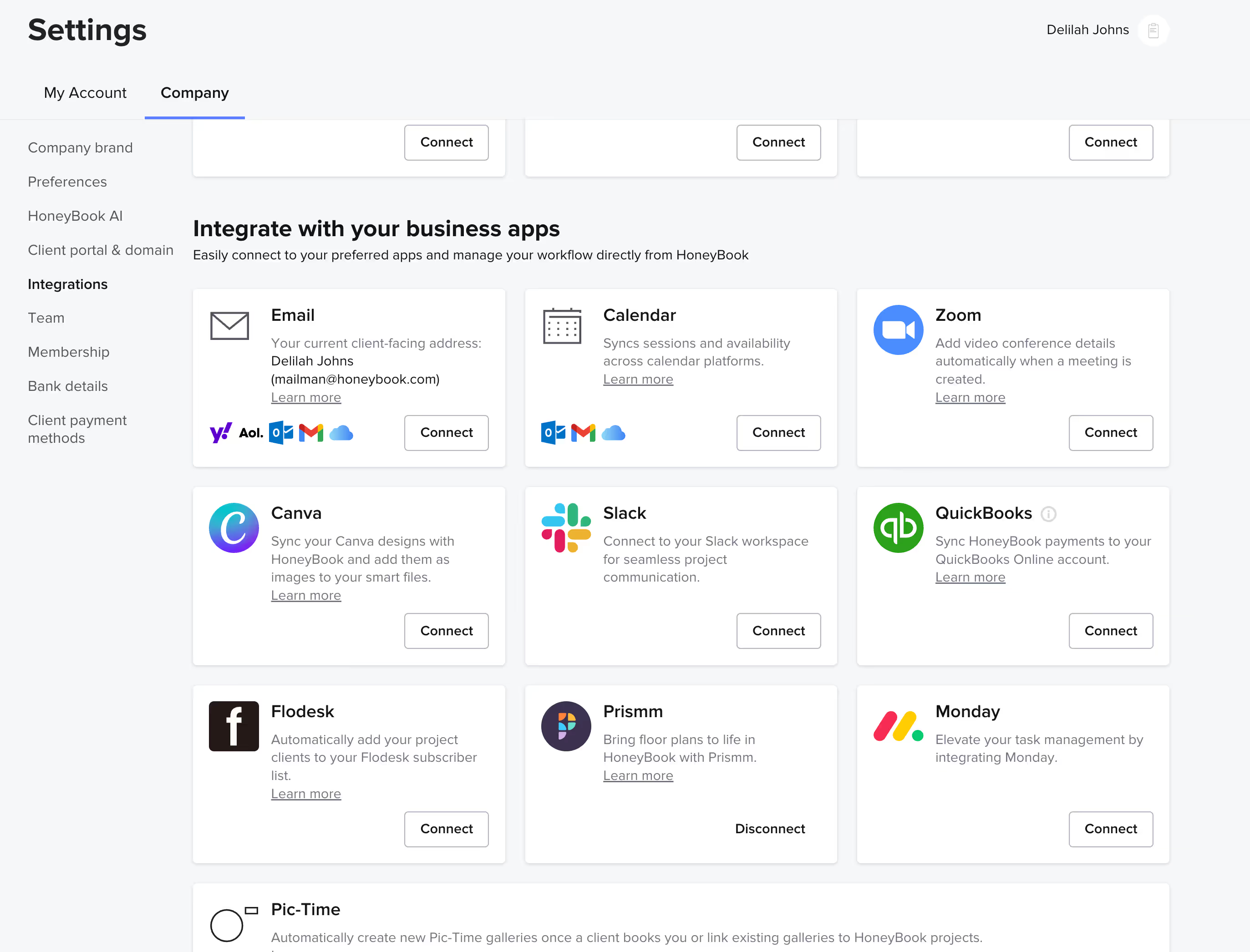
Start in HoneyBook
Head to Tools → Integrations in HoneyBook, find QuickBooks, and click Connect.
Sign in to QuickBooks Online
Log in to your QuickBooks account to continue.
Choose your company file
Pick the QuickBooks company file you'd like to connect and allow permissions.
You’re all set!
Once connected, you’ll see your QuickBooks integration in HoneyBook.
Why HoneyBook?
HoneyBook handles the business end of your business—so you can focus on your creativity, craft, and living the life you earned.
20 hours
saved per week with HoneyBook.
90%
of HoneyBook invoices are paid on time or early.
28M+
client relationships managed.
Business apps











Start your free trial now and work smarter with HoneyBook