







July’s updates are all about helping you stay organized, work faster, and manage more of your business in HoneyBook. From organizing your Library with folders to managing in-person meetings on mobile and setting image focal points, here’s what’s new. Plus, HoneyBook has expanded to Australia and the UK!
Library folders
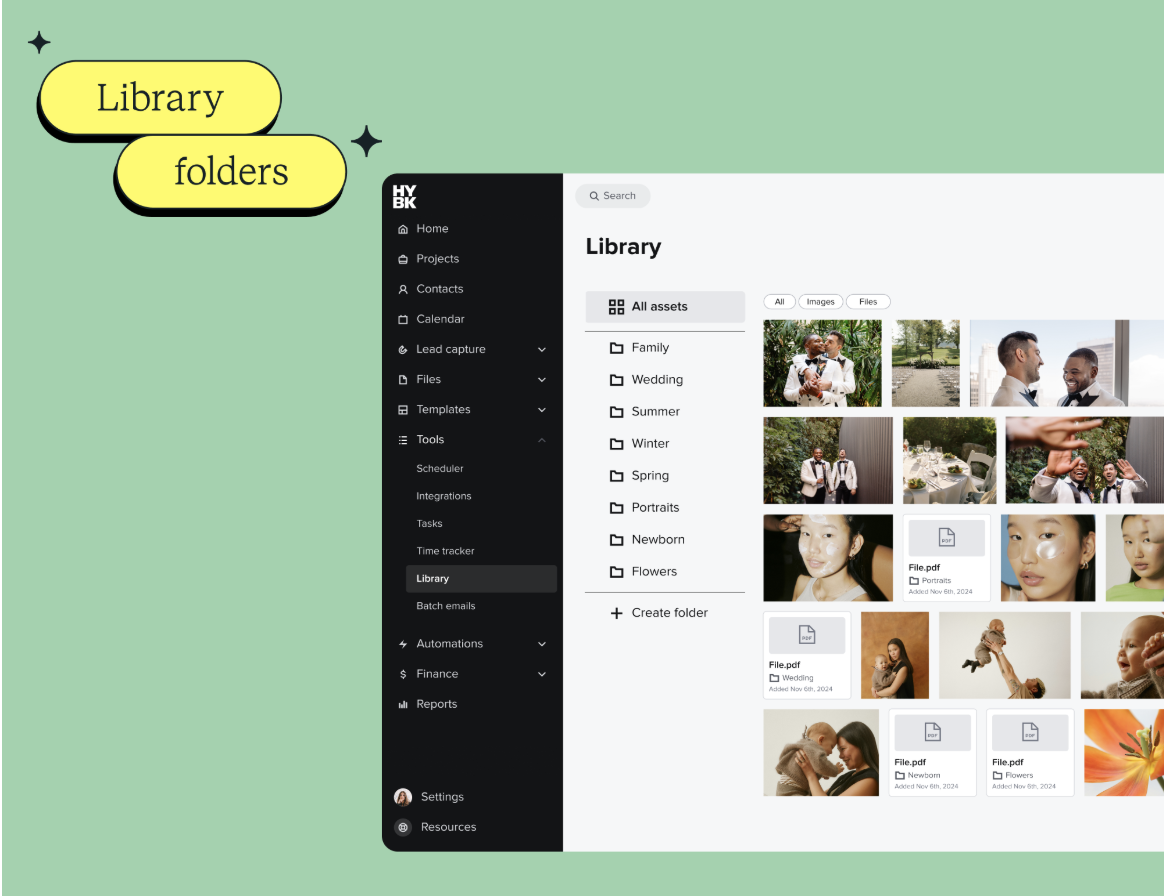
You can now organize your HoneyBook Library with folders, making it easier to group, find, and manage your images and files.
Instead of digging through an endless list of assets, you can keep everything organized in a way that works for your business — so you can find what you need faster.
New mobile meeting experience
Your mobile meeting screen has been redesigned to bring more of your meeting tools into one place.
You’ll find your prep notes, meeting details, and for in-person meetings, the ability to collect payment right then and there with Tap to Pay. It’s a simpler way to manage in-person meetings from your phone.
Global expansion
HoneyBook now supports small businesses in Australia and the UK.
That means users in these regions can use HoneyBook to get booked and organize their business, with localized phone numbers, tax terms, online payment methods, addresses, and more. Refer a friend?
Focal point in Smart Files
Now you can keep the most important part of your image centered across every screen size. Set a focal point so images and backgrounds crop the way you want, whether clients view them on desktop or mobile.
Embed images in emails
Insert images directly into emails, instead of attaching them as files. Easily upload photos from your computer or phone, or pick from the ones you already have saved in HoneyBook—then simply drag and drop them anywhere you like.
These updates are live now
These updates are designed to help you stay organized, manage more of your work in one place, and run your business more smoothly.

HoneyBook's client relationships platform makes it easy for independent business owners to streamline their processes and create remarkable client experiences by combining essential tasks like an online contract, online invoice, client communication, online payment software, and more all in one place.