










What’s new at HoneyBook: New ways to stay flexible, organized, and earn more
Start a Trial
We just rolled out a set of updates built directly from what our members have been asking for. These improvements are all about reducing friction in your day to day work, giving you more control over how projects move forward, and unlocking more opportunities to earn from the work you are already doing.
From long requested automation flexibility to clearer project visibility and smarter ways to follow up with clients, here’s what’s new.
See your projects in Kanban board view
You can now view your projects in a Kanban style board, making it easier to see what is in progress, what needs attention, and what is coming up next.
This view is especially helpful if you like to manage work visually or move projects through clear stages. It gives you a quick snapshot of your workload so you can stay organized and keep things moving without digging through individual projects.

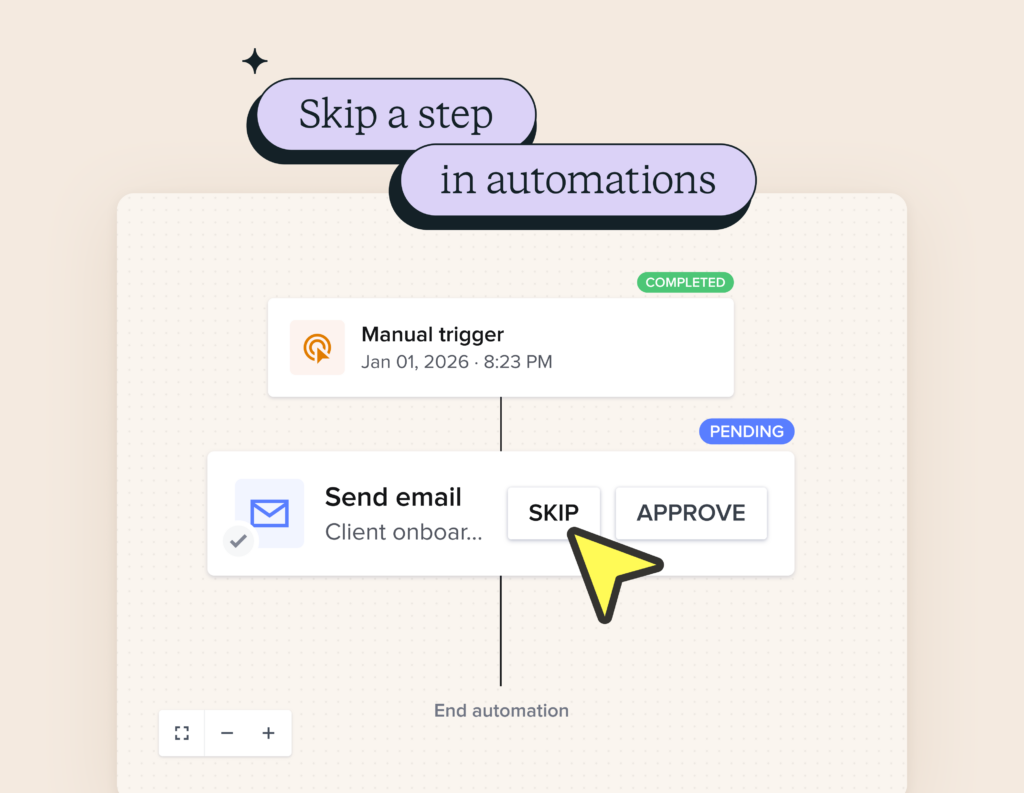
Skip individual steps in automations
This has easily been one of the most requested automation improvements, and we know it has been frustrating to work around.
You can now skip individual steps in an automation without turning off the entire automation or rebuilding your flow. If a task is already done, a project changes direction, or a step no longer makes sense, you can move forward without breaking anything.
The goal is simple. Automations should support how you actually work, not force you into awkward workarounds.
Send post project tip reminders
After a project date has passed, you can now send a HoneyBook tip reminder email to give clients an easy way to leave a tip and show extra appreciation.
This reminder can be sent manually or automated when setting up your invoice, helping you follow up at the right moment without feeling awkward. It is a simple way to capture more value from completed projects and let happy clients support your work.
Let clients tip on the full project total
When tips are requested on the final invoice of a payment plan, they are now calculated on the full project total rather than a single invoice amount.
This means clients can tip based on the overall value of the project, not just one payment. It is a small change that can make a meaningful difference in what you earn.
Manually start the in person AI Notetaker from mobile
Meetings do not always start exactly on time or in predictable places. You can now manually start the in person AI Notetaker from the mobile app whenever your meeting actually begins.
This gives you more control over when notes are captured, whether you are meeting in person, on the go, or adjusting plans in real time.
Attach files directly in project emails
You can now attach existing or new files when sending emails from a project.
This makes it faster to share invoices, contracts, and proposals without leaving your email flow. Fewer tabs, fewer steps, and less back and forth for you and your clients.
These updates are live now
All of these features are available now and ready to use. Whether you are streamlining workflows, staying organized, or looking for ways to earn more per project, these updates are designed to work the way you do.
Log in to HoneyBook to start using them today.

HoneyBook's client relationships platform makes it easy for independent business owners to streamline their processes and create remarkable client experiences by combining essential tasks like an online contract, online invoice, client communication, online payment software, and more all in one place.





