







New and improved: September 2026 updates
Start a Trial
Here is a look at what launched in September to save you time and give you more control over your business. From powerful new automation tools to enhanced scheduling and portal controls, explore what’s new in HoneyBook.
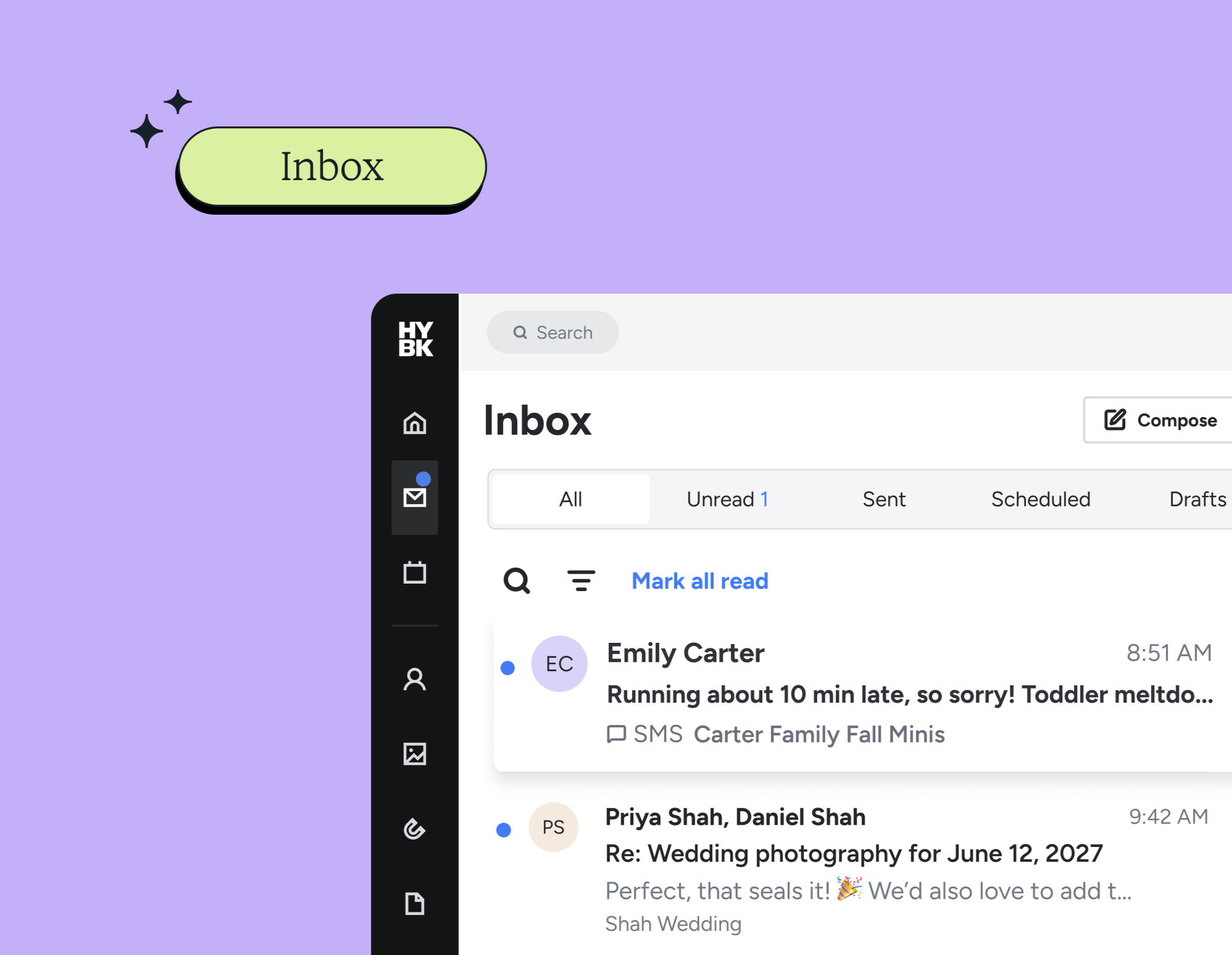
Inbox
An inbox that brings all your project messages and SMS messages into one place. Now you can track lead and client communication, and reply to messages without jumping between projects.
Pass processing fees to clients
Keep more of what you earn by transferring the payment processing fee to clients on invoices.
"After previous charge" due dates
Set a payment’s due date relative to when the previous payment occurred. Choose the new "After previous charge" option in the Payment Schedule block builder to set a fixed delay in days, weeks, or months after the prior charge.
Preview client portal
See your portal exactly as a specific client sees it. The read-only preview shows their files, messages, tasks, and payments. On multi-client projects, easily switch views between clients.
File completion control
Take control over when your files lock. You can now set completion dates relative to your project deadlines, giving your clients room to make edits after submission.
Add multiple participants to meetings
You can now invite multiple participants to a single meeting directly, whether you are adding project members or inviting external guests by email.
Automated availability checking
Using new Query and Condition steps, your automated workflows can automatically confirm if a date is open or let the client know you're booked.
Date-relative wait steps in automations
Pause automations relative to project dates. Add "Wait" steps to trigger actions days, weeks, or months before or after an event.
Automate contact tagging
Add and remove contact tags via automations when contracts are signed, payments are made, or projects are archived. If a project has multiple clients, every contact on the project gets tagged.
Unified calendar
Manage your session types and availability directly inside your Calendar under the new Session types tab. Enjoy a single, streamlined workspace.
Simpler session creation
We’ve simplified how you create sessions. Enjoy a faster, more effortless setup process, along with a live preview so you can see exactly what you're creating in real time.
Lead form promo codes
You can now offer promo codes on your lead forms! Create trackable discounts to run special promotions, attract new clients, and boost conversions.
Manually mark projects as booked
Now you can manually mark projects as booked across your pipeline, project pages, or mobile app. No contract, signature, or payment required.
Library improvements
Managing your Library is now cleaner and more flexible. You can sort list-view columns by name, folder, or date, and rename files or images directly from the three-dot menu.
Unified templates hub
Organize all your Files, Messages, and Floor plans in one search-friendly place, and easily switch between editing reusable templates or creating live client files with brand-new, explicit action buttons.
These updates are live now
These updates are designed to help you stay organized, manage more of your work in one place, and run your business more smoothly.

HoneyBook's client relationships platform makes it easy for independent business owners to streamline their processes and create remarkable client experiences by combining essential tasks like an online contract, online invoice, client communication, online payment software, and more all in one place.