
















Ready-to-use copy

Templates come filled with prewritten copy you can use as is or edit to match your brand and business.


“
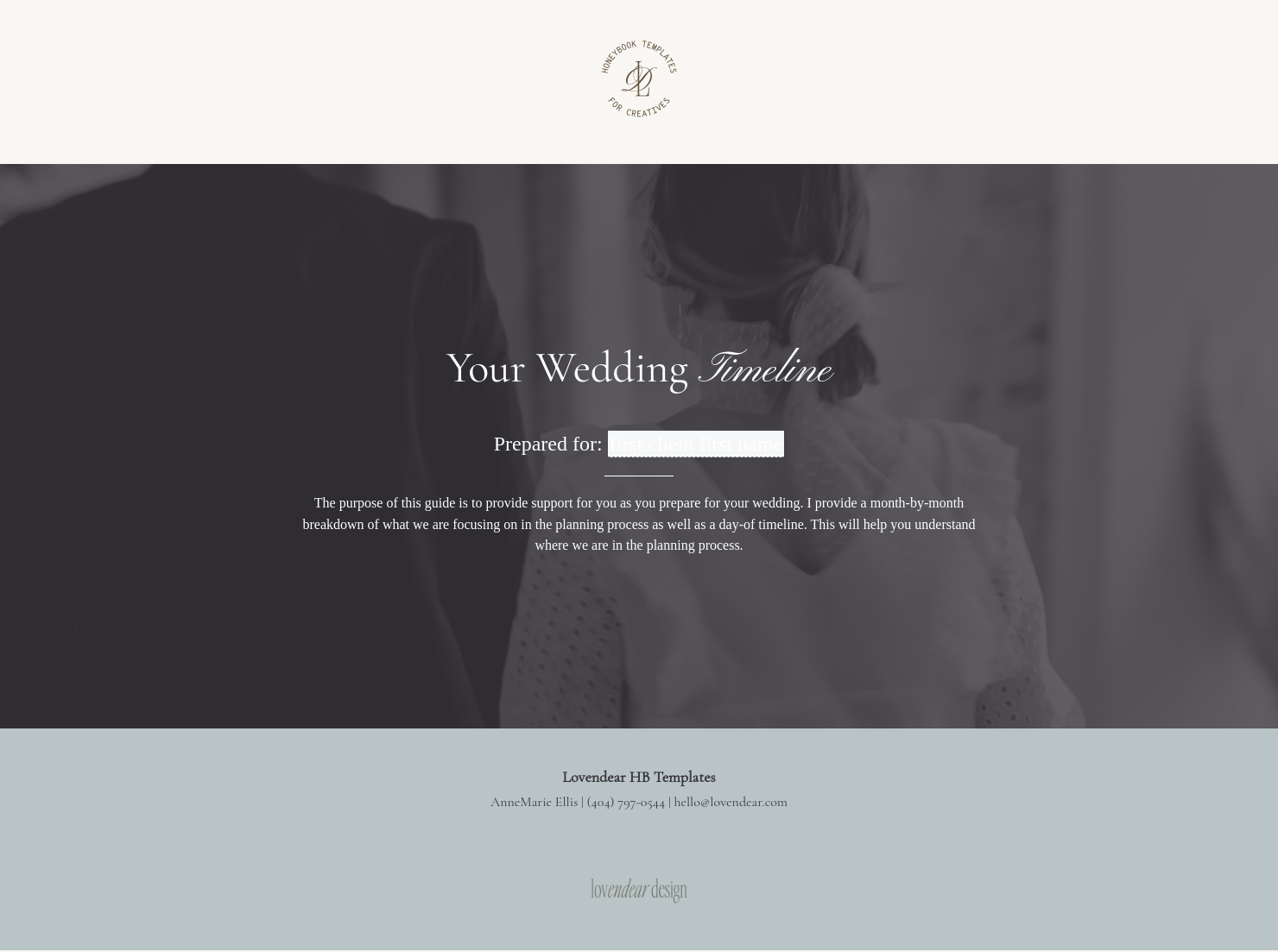
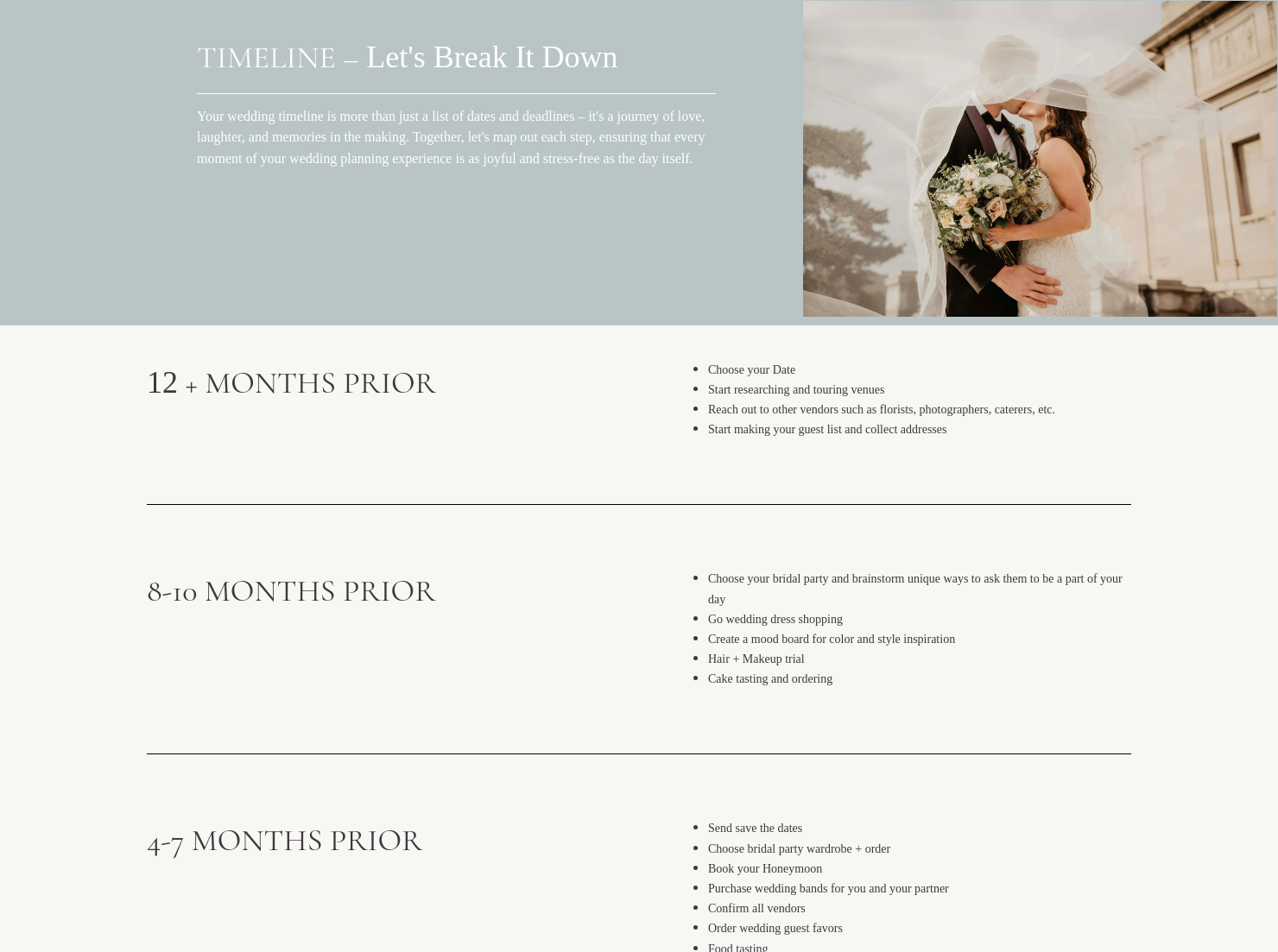
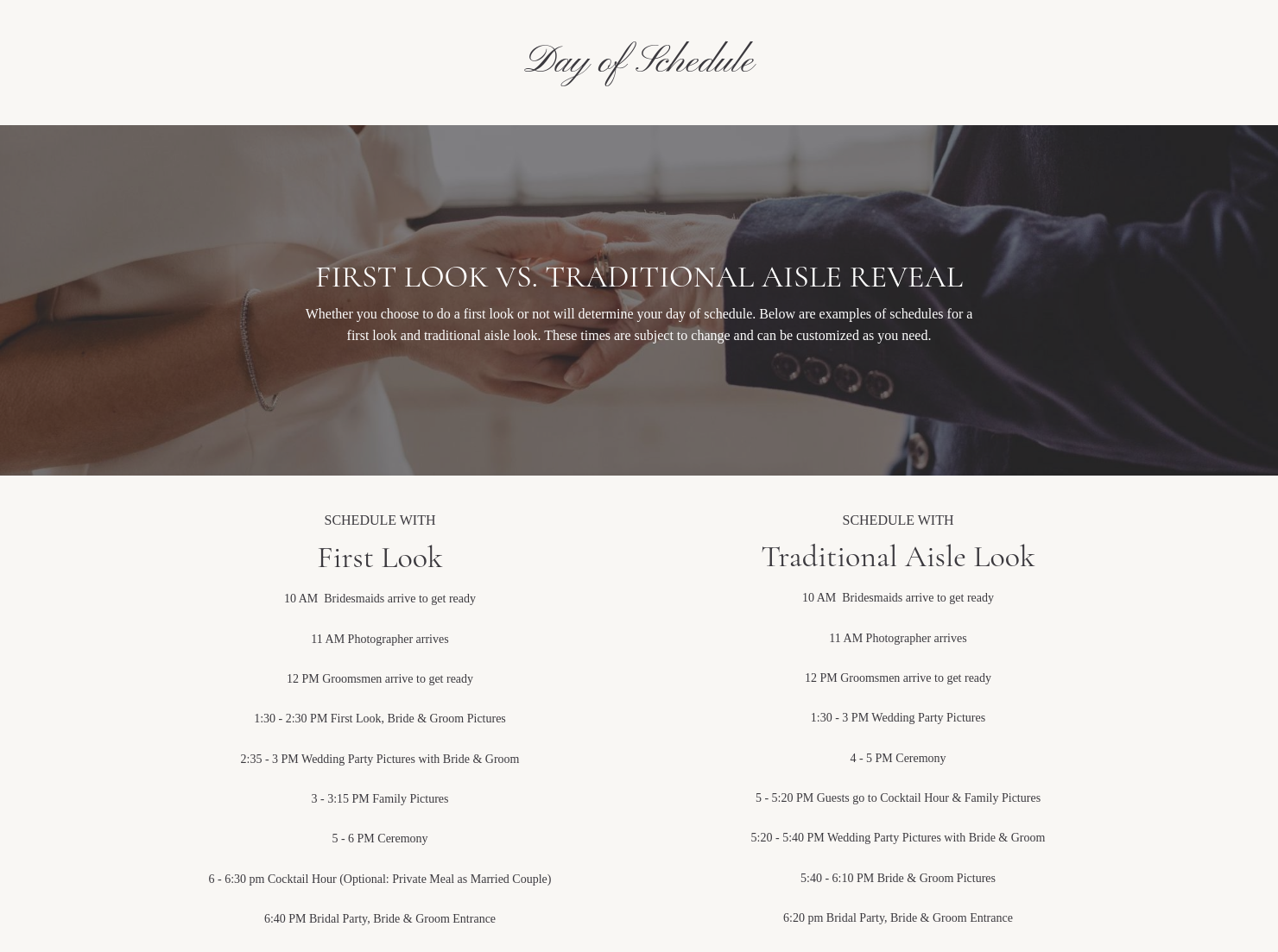
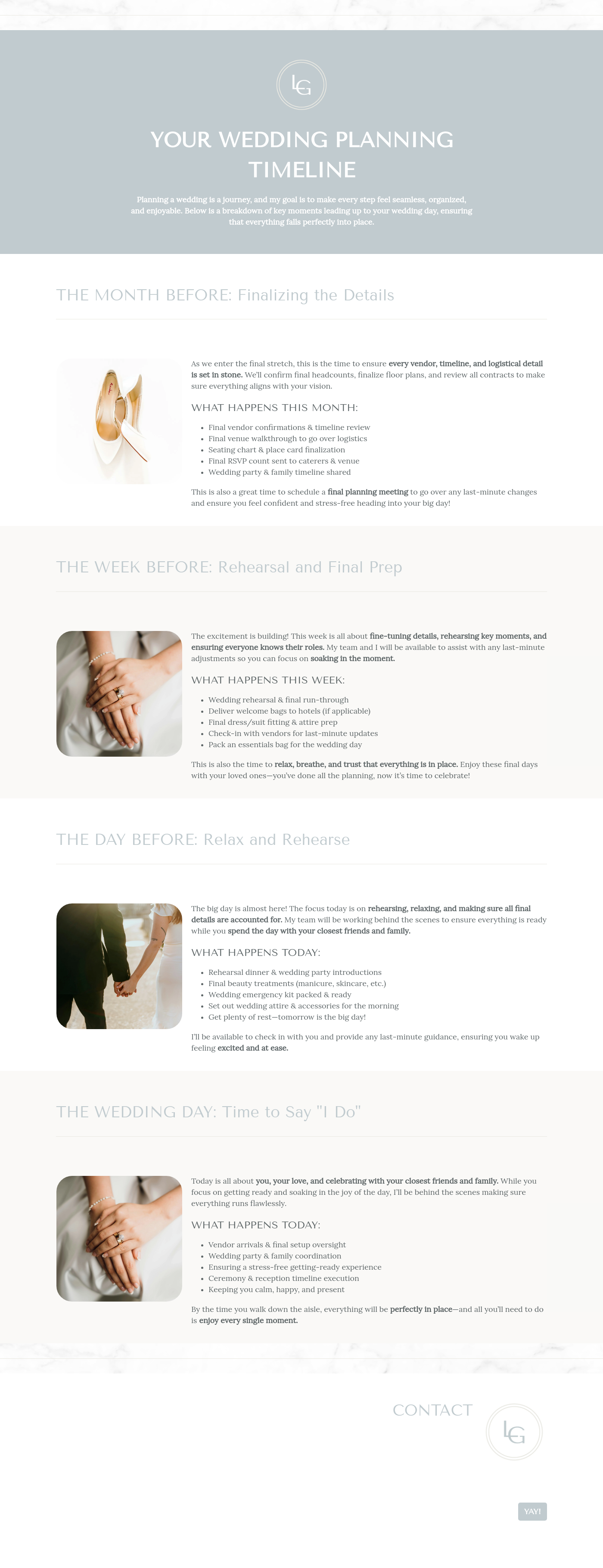
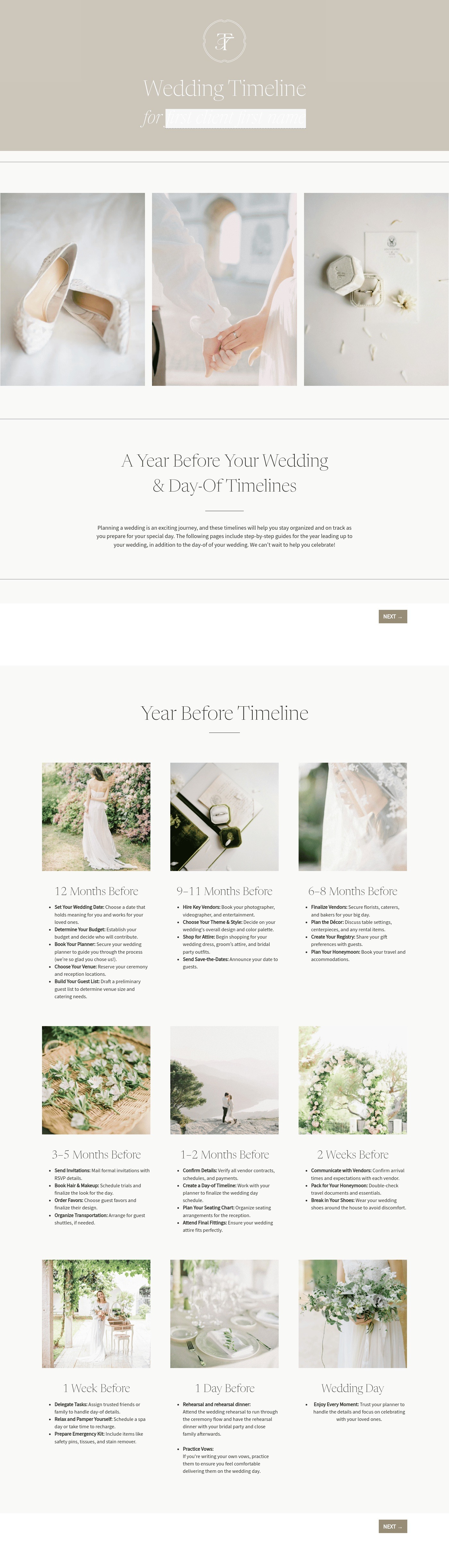
Put your clients at ease with this beautiful timeline template including a monthly planning breakdown and more info about a first look or traditional aisle look.
”

October 18, 2026

All there is to know about event planner timeline templates
An event planner timeline outlines the schedule of tasks, milestones, and deadlines needed to plan and execute a successful event. Event planners use this document to organize logistics, coordinate vendors, and keep every stage of the event planning schedule on track. A clear event timeline can help make sure everyone involved understands what needs to happen and when.
Events often involve multiple vendors, moving parts, and strict deadlines. Without a clear event planning schedule, important details can be missed or completed too late.
A well-structured event planner timeline helps:
- Coordinate vendors and team members
- Keep planning tasks organized and on schedule
- Reduce last-minute surprises on the event day
- Create a smoother experience for clients and guests
When every step is mapped out ahead of time, planners can focus on delivering a successful event.
A professional event timeline should include several core elements to keep planning organized.
- Event overview: Basic information about the event, including the event name, location, and date.
- Planning milestones: Key planning phases such as vendor booking, design approvals, and final confirmations.
- Task assignments: Responsibilities for each task, including team members, vendors, or partners involved in the event.
- Deadlines and due dates: Specific dates for completing tasks to keep the event planning schedule moving forward.
- Event-day schedule: A detailed timeline outlining when activities occur on the day of the event.
- Vendor coordination details: Arrival times, setup schedules, and responsibilities for vendors.
- Communication notes: Important updates or reminders for team members or vendors.
Including these details ensures the event timeline stays clear, organized, and easy to follow.
An effective event planner timeline is detailed enough to guide the planning process but simple enough to review quickly. Event planners often manage many projects at once, so timelines should highlight key deadlines without becoming overly complicated.
Breaking the planning process into phases can help. For example, planners often organize timelines around early planning tasks, vendor coordination, and final event preparation. This approach makes the event planning schedule easier to manage.
Flexibility also matters. Changes can happen as events evolve, so the timeline should allow room for updates. Using a clear structure helps planners adjust tasks without losing sight of the overall schedule.
Many planners also use a sample event planning timeline as a starting point. This provides a helpful framework that can be customized for different event types, such as weddings, corporate events, or conferences.
An event planner timeline template is useful whenever an event requires coordination between multiple tasks, vendors, or deadlines.
Common situations include:
- Planning weddings or large celebrations
- Organizing corporate events or conferences
- Coordinating product launches or marketing events
- Managing festivals, fundraisers, or community events
- Scheduling vendor tasks and event-day logistics
Using an event timeline helps planners keep projects organized and ensures important steps happen at the right time.
Catering has a lot of moving parts, and the menu sits in the center. If your catering menu is scattered across emails, texts, and screenshots, mistakes show up at the worst time.
A structured menu template helps in practical ways.
- Builds client trust and a professional first impression.
- Speeds approvals by making choices simple.
- Reduces payment disputes by documenting totals and terms.
- Saves time by cutting back and forth.
That means fewer surprises for clients and fewer fire drills for you.
Get started with an event planner timeline template
Using a ready-made event planner timeline template helps event professionals organize planning tasks without starting from scratch. Once customized, the template can be reused for future events, making it easier to create consistent event timelines and manage new projects with confidence.
FAQs
Below are quick answers to common questions from caterers building a catering menu that clients can approve with confidence.
An event planner timeline is a structured schedule that outlines the tasks, deadlines, and milestones involved in planning an event. It helps planners coordinate vendors, manage deadlines, and organize the event-day schedule.
To make an event timeline, start by identifying the event date and key planning milestones. Then list the tasks required to complete the event, assign responsibilities, and add deadlines. Many planners begin with a sample event planning timeline and customize it for their event.
An event planning schedule usually focuses on the overall planning process, including tasks that happen weeks or months before the event. An event timeline often includes the detailed schedule for the event day itself.
HoneyBook templates help simplify the steps between inquiry and booking. With ready-made Smart Files, you can send contracts, invoices, and timelines without recreating the same documents each time. You can learn more about managing templates in the HoneyBook files and templates Help Center guide.
Yes. HoneyBook templates are designed to be flexible. You can customize fonts, colors, images, pricing tables, contract language, and messaging so your documents match your brand. The Help Center explains how to add and customize Smart File pages.
Yes. With the HoneyBook mobile app, you can create, customize, and send templates directly from your phone. This makes it easier to respond to clients and keep projects moving even when you’re away from your desk. You can see how it works in this guide on how to create an invoice or Smart File on mobile.
Related templates









Related Templates


.png)

.png)

.png)
Make it your own
Fully customize the template to fit your needs. Quickly apply your company branding with just a few clicks.

Share with clients
Create exceptional client experiences through HoneyBook’s dedicated client portal, allowing them to read, review, and take action from any device.

Reuse and scale
Use your customized files with different clients again and again to save time and make managing client interactions that much easier.

Join the 100,000+ businesses growing with HoneyBook.
