







9 examples of virtual assistant websites — and why they work
Start a Trial

As a virtual assistant, your website can give potential clients the sense that you’re detail-oriented enough to manage their projects with ease. Clarity, professionalism, and easy-to-find sections can compel leads to take the next step.
Overall, a strong website breaks through trust barriers, giving clients a sense of your skills, past projects, and personality alignment from the first click. Accomplishing that can feel like a tall order when you’re starting from scratch, though.
Use these examples of virtual assistant websites to inspire your own, and find out what to include to create a professional virtual assistant site that converts.
Why virtual assistants need a strong website
As a virtual assistant, your work is online, so a professional website is a fitting way to market your skills. The site acts as a verification layer for clients to check your reputation and expertise.
It’s a major lead generation tool that filters the right clients and builds personal connections, even when you’re away. A site with strong emotional appeal can help clients see who you really are and why they should entrust you with their projects.
What virtual assistant websites should include
You don’t want a potential client to have to dig around to figure out the basics such as what you offer, what you charge, and how to contact you. Make sure your virtual assistant page integrates these core elements:
- Clear headline: Communicate who you help and what you do.
- Services page: Specify your offerings with visible pricing.
- About page: Aim to foster personal connection and trust, and include relevant SEO keywords.
- Social proof: Include trust signals, such as testimonials or client logos.
- Contact form: Incorporate a simple, easy-to-find inquiry form. A HoneyBook lead form embeds on your site and turns each inquiry into a project.
- Portfolio: Add links to work samples where relevant.
- Call-to-action buttons: Encourage visitors to schedule a call.
9 examples of virtual assistant websites for inspiration
The virtual assistant role is a highly personal one that typically involves working directly with a client to provide administrative support. Check out these top examples to get virtual assistant website ideas as you plan your own site.
1. A robust services page structure
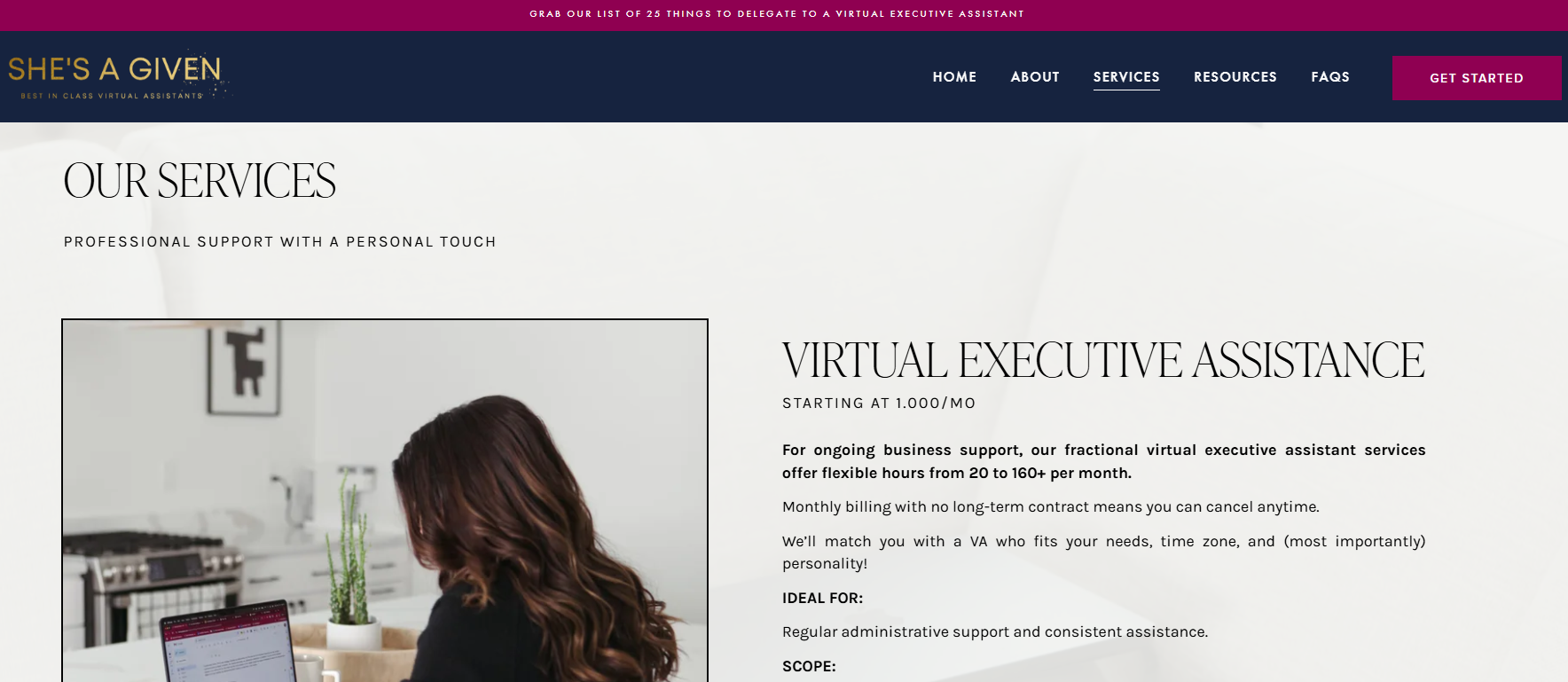
She’s a Given is a professional virtual assistant website that’s logically organized. Its service page clearly breaks down offerings, with photos, pricing, scope, and examples, with high specificity. Every section has a call-to-action button at the end, making it easy for visitors to schedule a call.
Owner Emilie Given has used HoneyBook to manage her virtual assistant business as she grew from a solo venture to a 45-person team and increased revenue fifteen-fold in six years. HoneyBook brings professional virtual assistant business tasks—including inquiry follow-ups, proposals/contracts, project management, and payments—to one platform, so virtual assistants can focus on building relationships.
2. Effective social proof
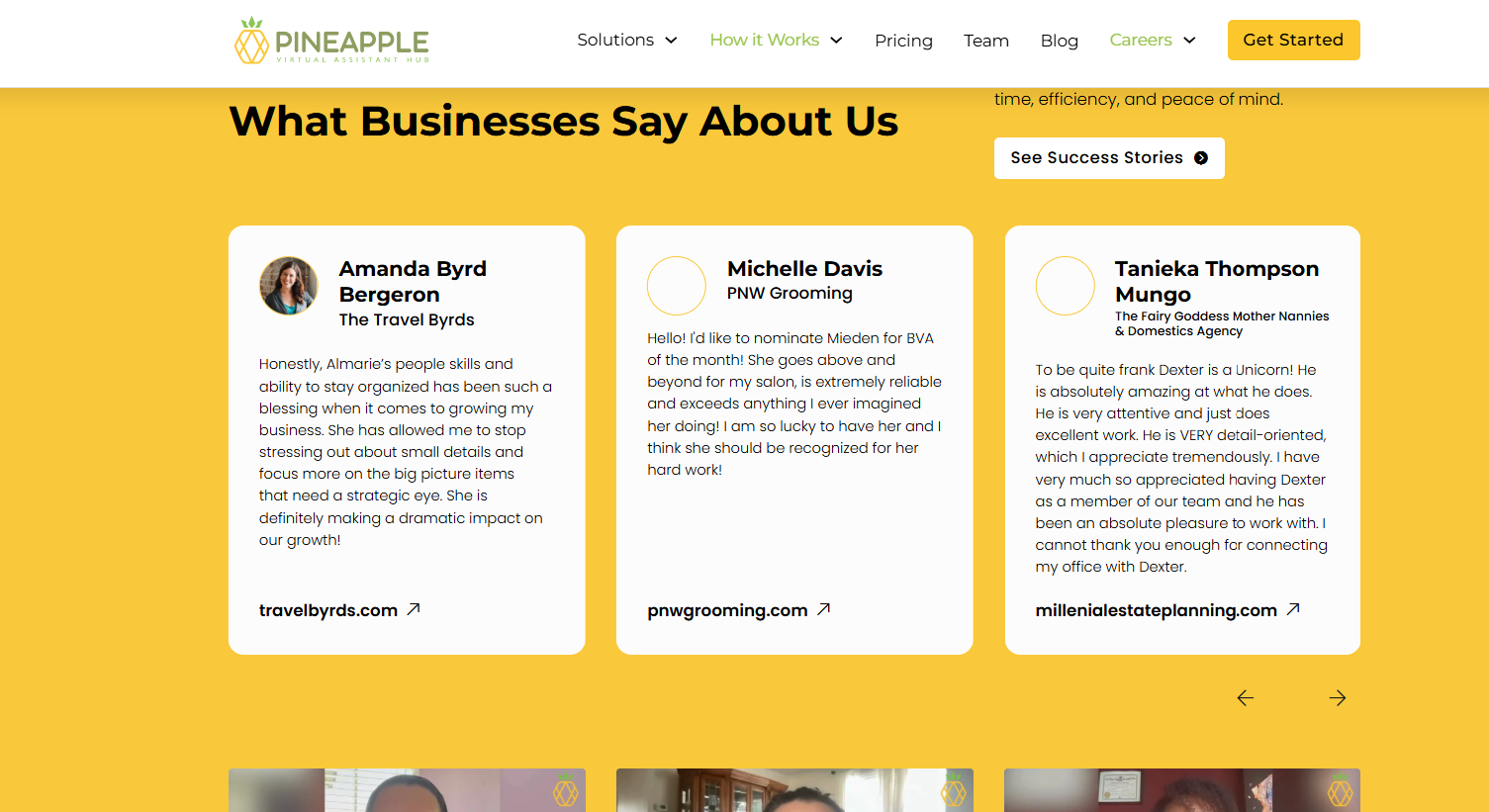
Pineapple Virtual Assistant Hub integrates a section with video testimonials and quotes from former clients for legitimacy. It has a clean design yet is rich with information for potential clients who want to verify the business’s reputation.
Other ways to add trust signals to your virtual assistant website include client logos, certifications, or case study snippets—whatever feels most natural to your target client profile.
3. A polished visual identity
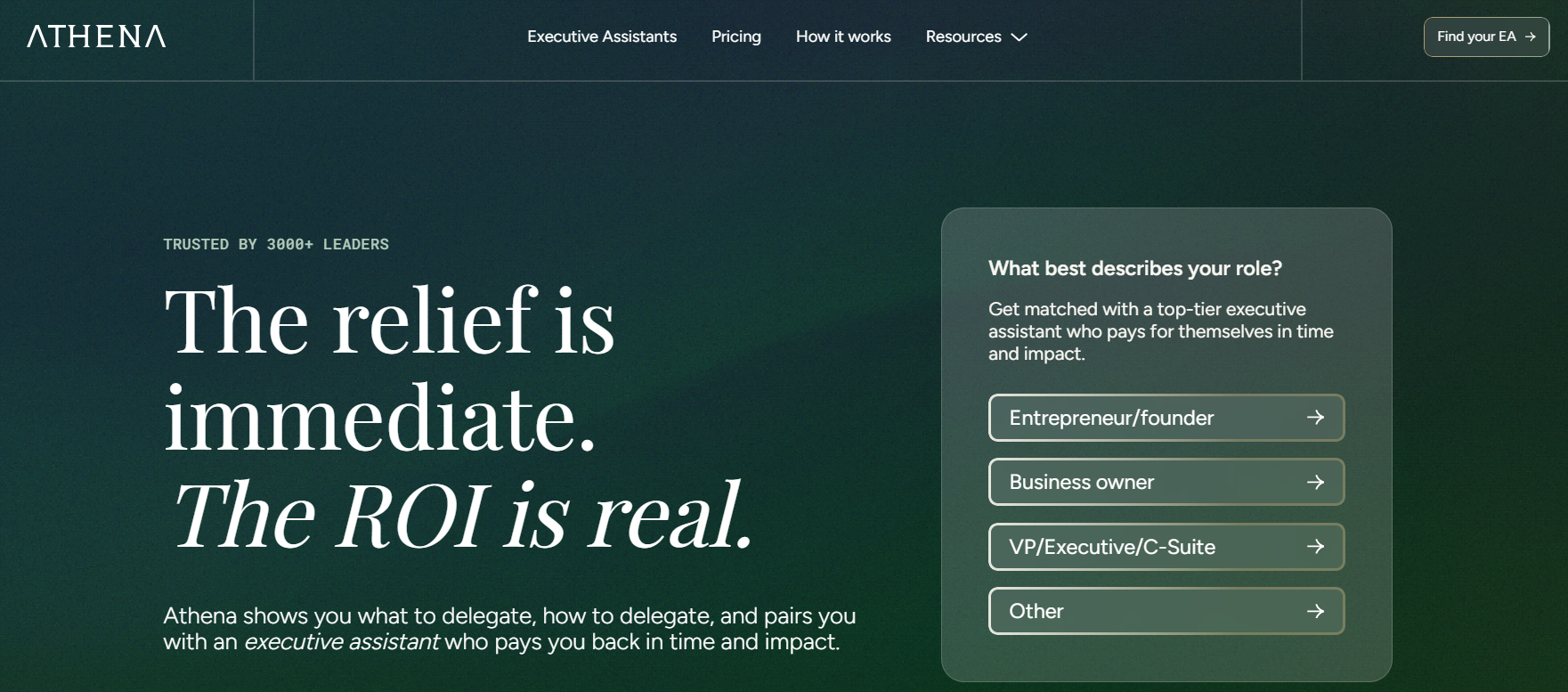
Athena is a sleek virtual assistant website tailored to executive clients. It has a glossy feel and a consistent color scheme with structured headings, images, and CTA buttons. Nothing feels out of place, which is especially important for virtual assistants who want to create a real sense of reliability.
4. A friction-free contact experience
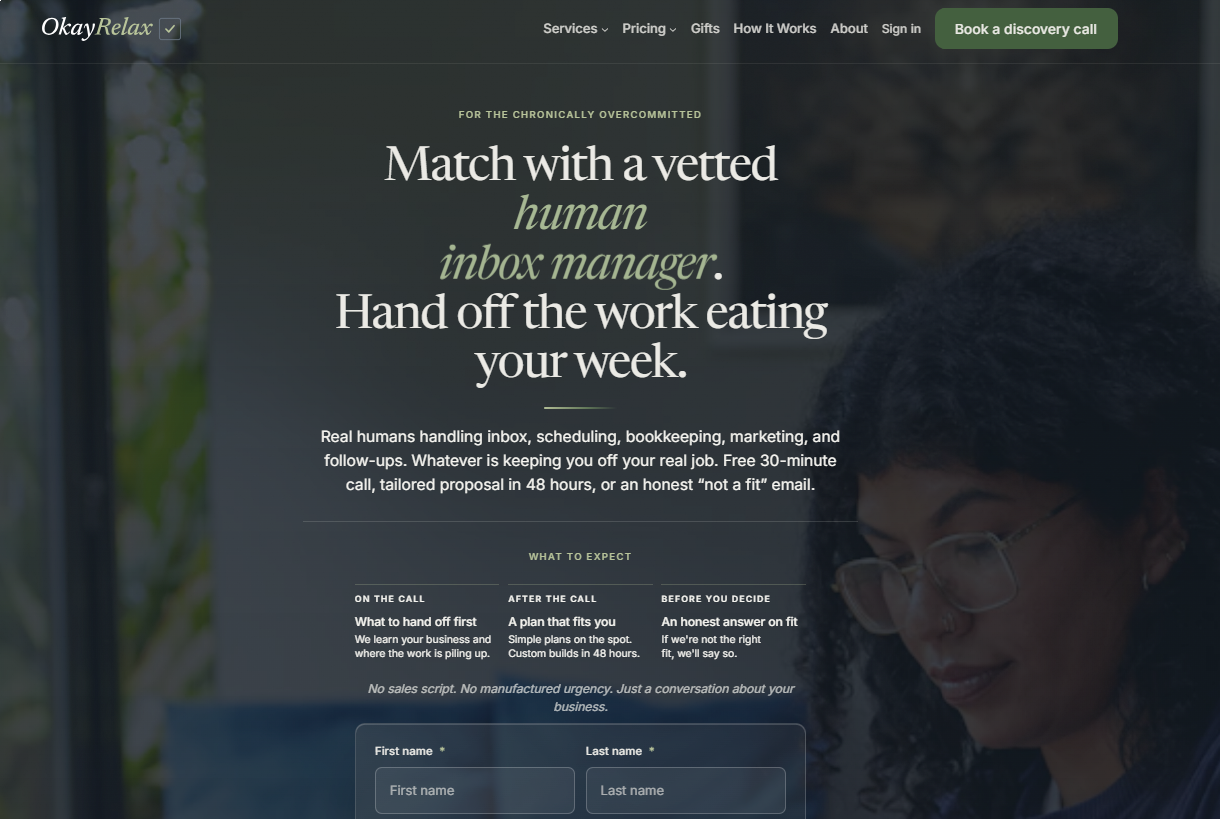
OkayRelax streamlines the outreach process by incorporating a contact form right on the homepage. Clients interested in hiring virtual assistants can set up a call to discuss their business needs by filling out five fields.
5. A bold design
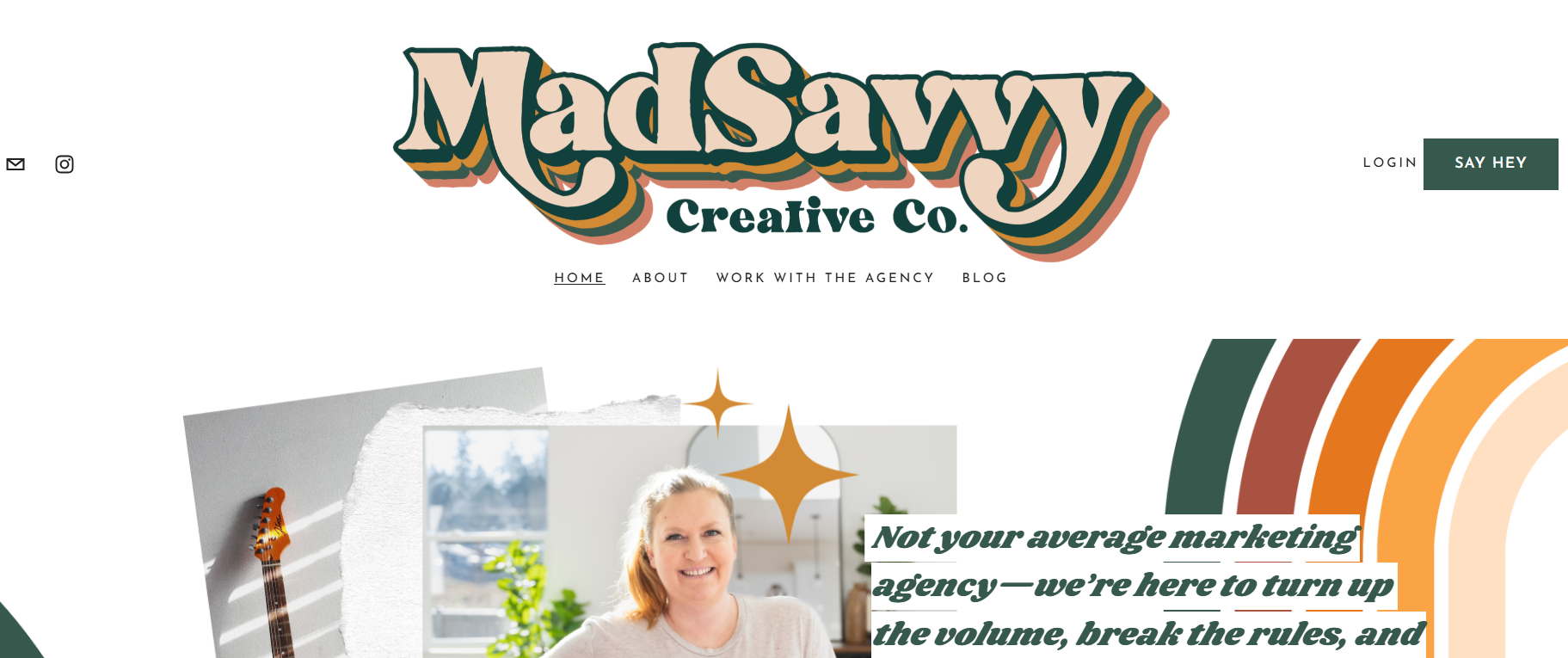
MadSavvy Creative Co has a boundary-breaking vibe indicative in its bold design. The retro fonts, colors, and personality-infused copy all give off confidence and savviness.
Virtual assistants who do creative work, such as digital marketing and graphic design, can view their virtual assistant website as its own portfolio piece.
6. An engaging about page

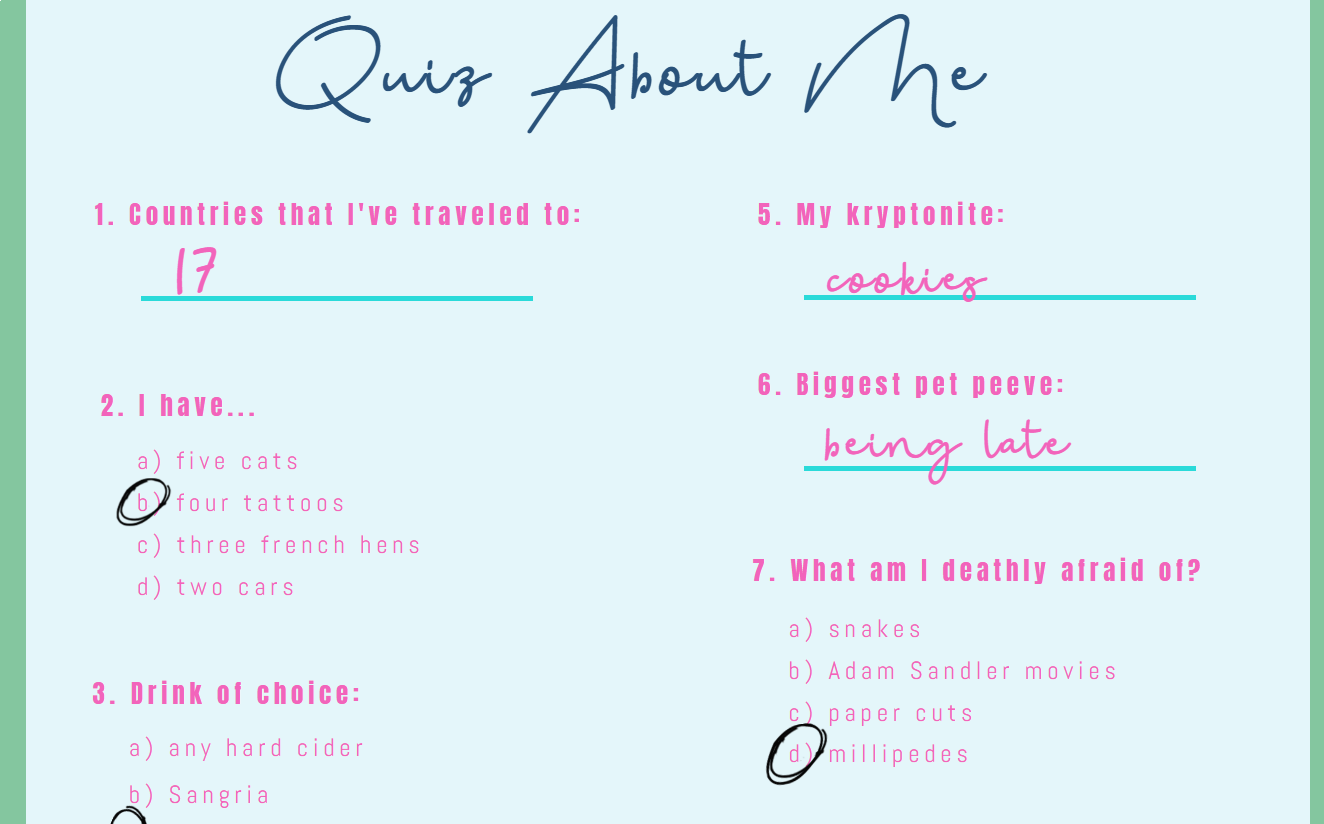
Amanda Kime has a playful virtual assistant website with an about page that’s full of personality. In addition to a short biography, Amanda shares her values in bullet points with her responses to a “Quiz About Me.”
These quirky details give Amanda’s website a personalized touch and are great jumping-off points for building relationships.
7. A strong portfolio that inspires trust
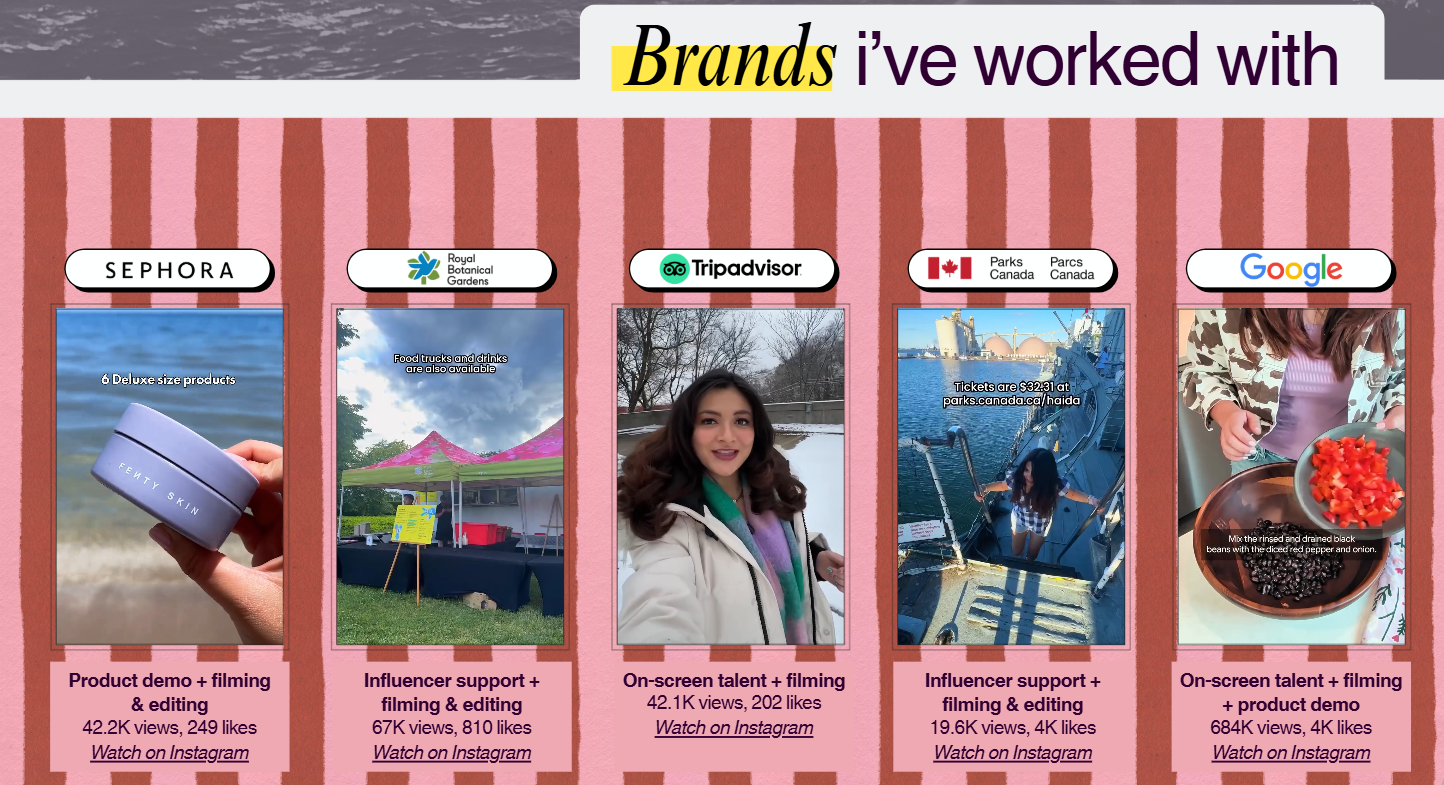
Jeca Martinez uses a visual virtual assistant portfolio that builds trust by listing the brand, service, quick video snippet, and key metrics. It’s user-friendly to browse, highlights Jeca’s expert impact, and links to the full videos in case clients are interested in learning more.
8. Well-organized, transparent pricing
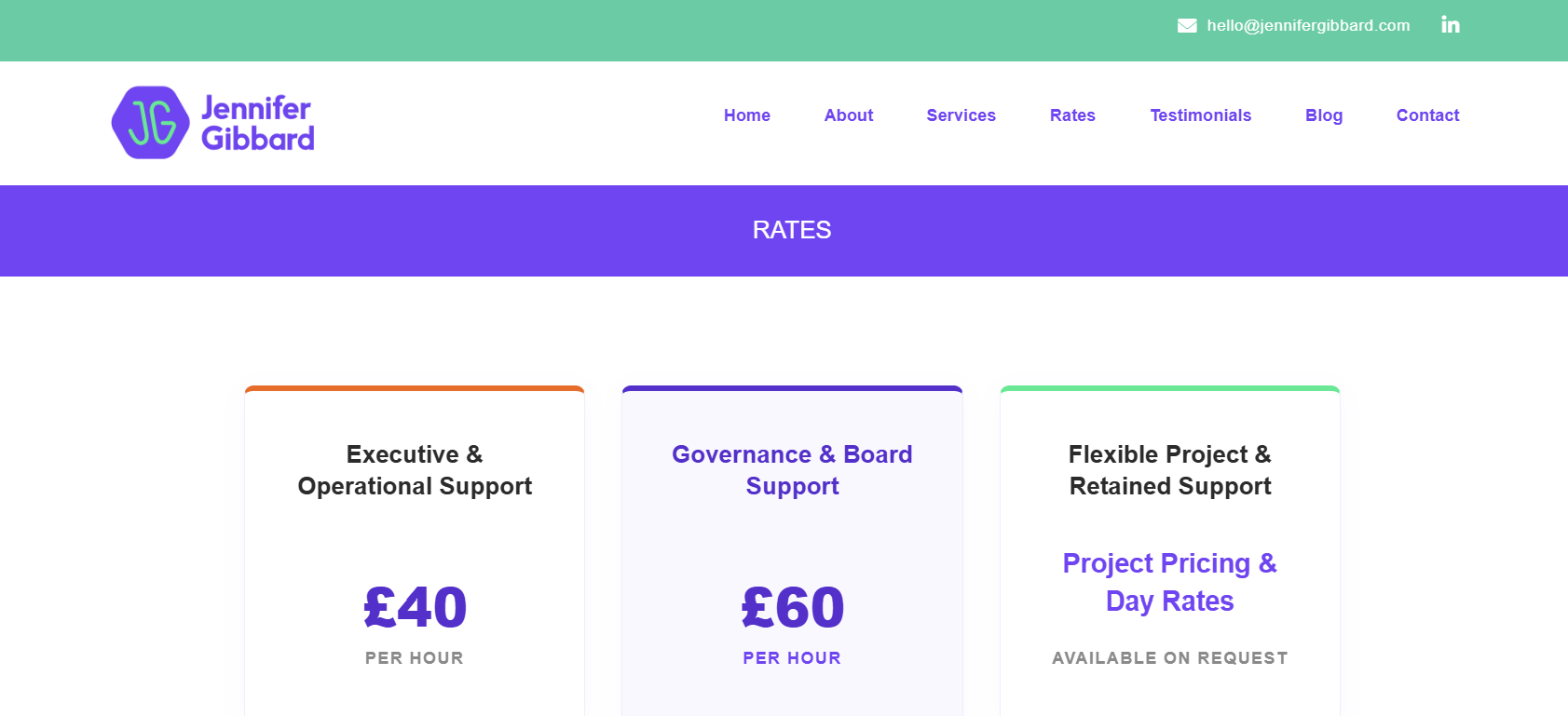
Jennifer Gibbard organizes her virtual assistant pricing into three tiers. It’s a simple alternative to pricing pages with long descriptions that may lose visitors’ attention.
A creative touch, the page provides a “freedom calculator” that shows how much potential clients can save based on their hourly value and weekly time spent on admin. It’s an original way to emphasize value.

9. Use of eye-catching video and media
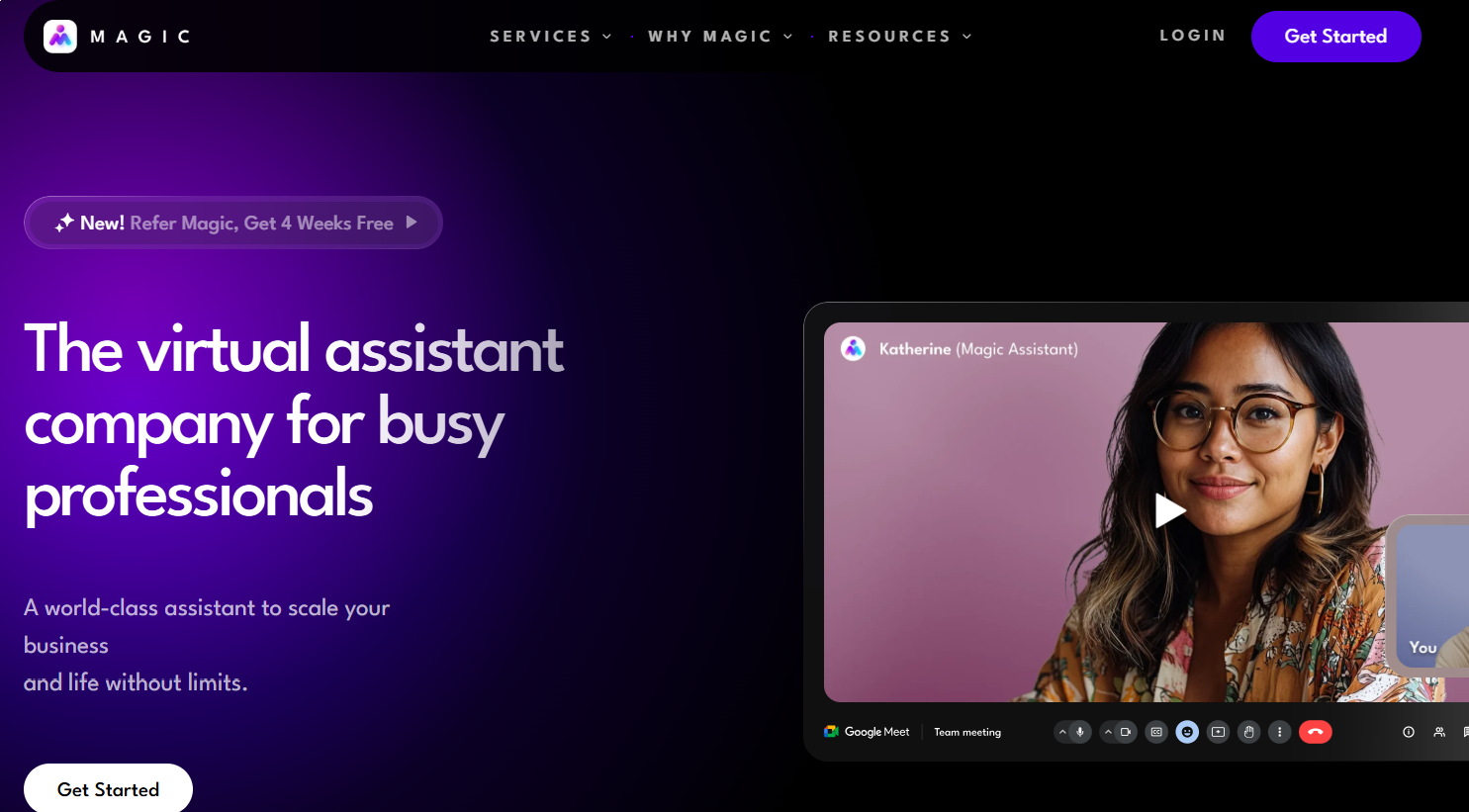
Magic’s site design spotlights styled videos and iconography. The graphics are polished, branded, and unique, helping the virtual assistant company tell its brand story and stand out on the market.
Impress the clients who find your site
The best virtual assistant websites are springboards to secure new clients. You can browse the website examples above to notice common elements of professional and trust-inspiring virtual assistant websites. Just be sure to make your design your own as you highlight your unique perspective and skills.
Once you’ve launched your site, don’t let your contact form inquiries fall through the cracks. HoneyBook helps virtual assistants run the client side of the business, from first inquiry to final invoice. Send proposals, get contracts signed, set up automated follow-ups, and keep each client project in one place.
Keep every client relationship organized.
Track leads, manage projects, and follow up at the right time, all from one place built for your business.
Try HoneyBook CRMFAQs
What platform should I use to build my virtual assistant website?
When choosing a platform to build your virtual assistant website, consider your budget and technical comfort level. Top options for virtual assistants include Squarespace and Canva, which are easy to use but have less customization and platform ownership. WordPress is another popular website builder that gives you full virtual assistant website design control.
How many pages does a virtual assistant website need?
Virtual assistant websites typically have four core pages: a homepage, a service page, an about page, and a contact form. Many virtual assistant sites also incorporate trust-signaling pages, such as a portfolio, testimonials page, or blog.
Sometimes, adding dedicated landing pages for every niche virtual assistant service (e.g., administrative support, project management, or social media management) is also worthwhile.
How do I make my virtual assistant website stand out?
A standout virtual assistant website gives potential clients a reason to choose you over competitors. Adding trust signals, such as testimonials, client logos, or certifications, can establish credibility. Additionally, to establish a personal connection, you can write a bio or upload photos or an intro video.
Do virtual assistants really need a website?
A website is important for virtual assistants, especially small business owners looking to grow their reach. The virtual assistant website showcases professionalism and core pricing to potential clients and ensures leads have an easy way to get in touch. It’s also a useful resource to add to your LinkedIn and Upwork page.
HoneyBook's client relationships platform makes it easy for independent business owners to streamline their processes and create remarkable client experiences by combining essential tasks like an online contract, online invoice, client communication, online payment software, and more all in one place.