















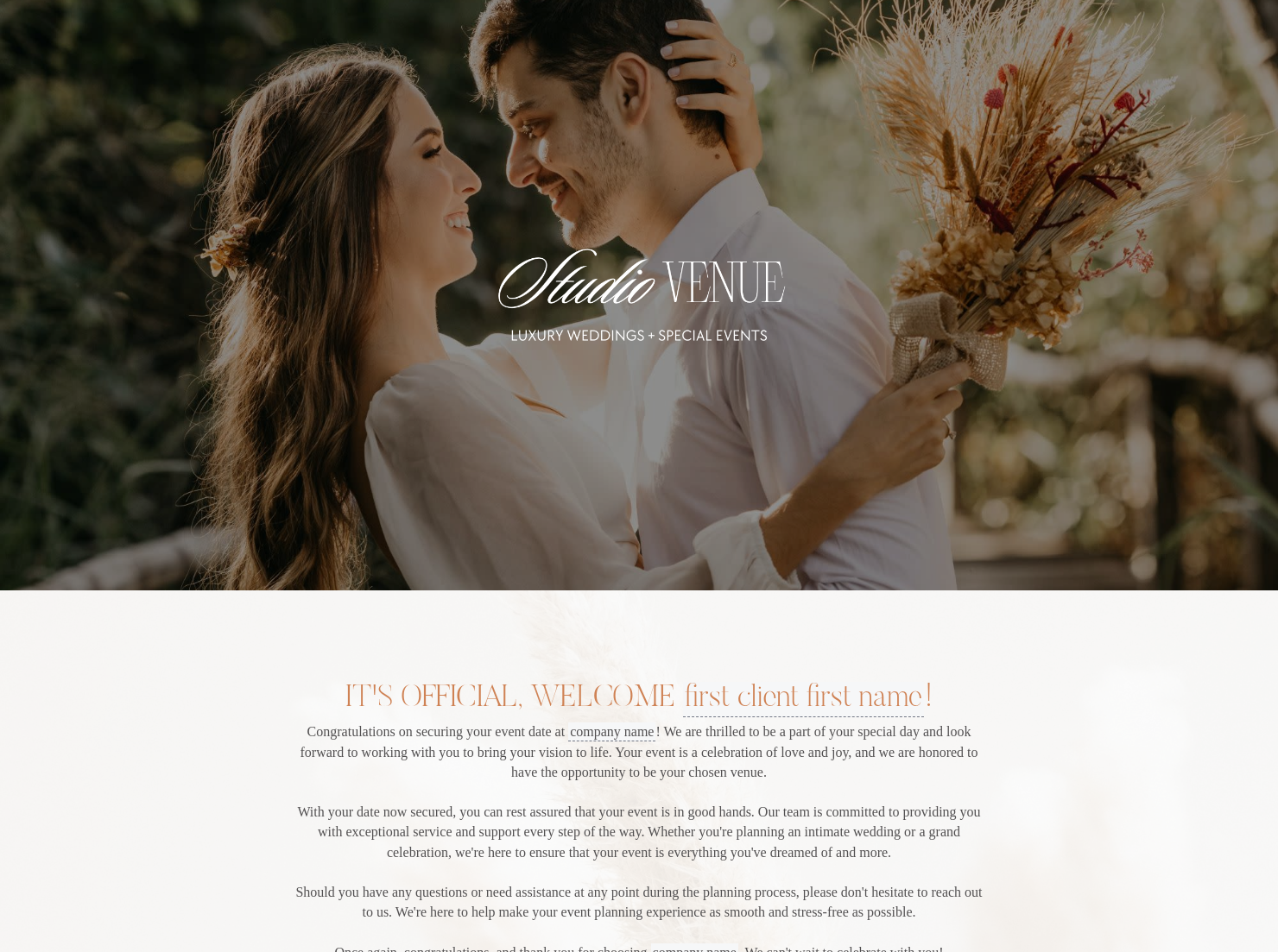
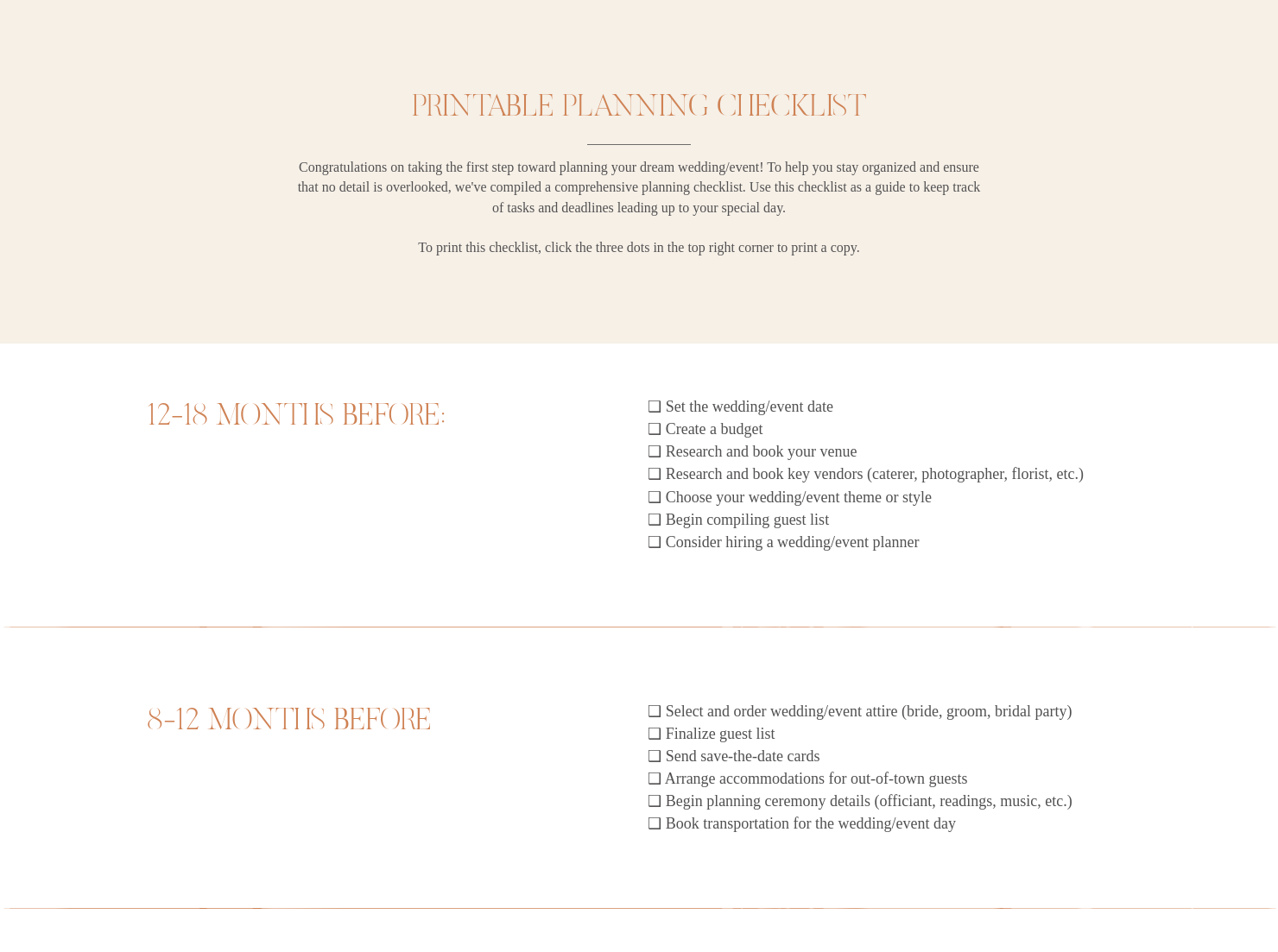

Ready-to-use copy

Templates come filled with prewritten copy you can use as is or edit to match your brand and business.


“
This is a must share with your clients! It gives them an easy to follow onboarding guide and printable checklist to support their planning journey!
”
-copy.avif)
October 18, 2026

How to Customize Your Event Venue Onboarding Guide to Win More Clients
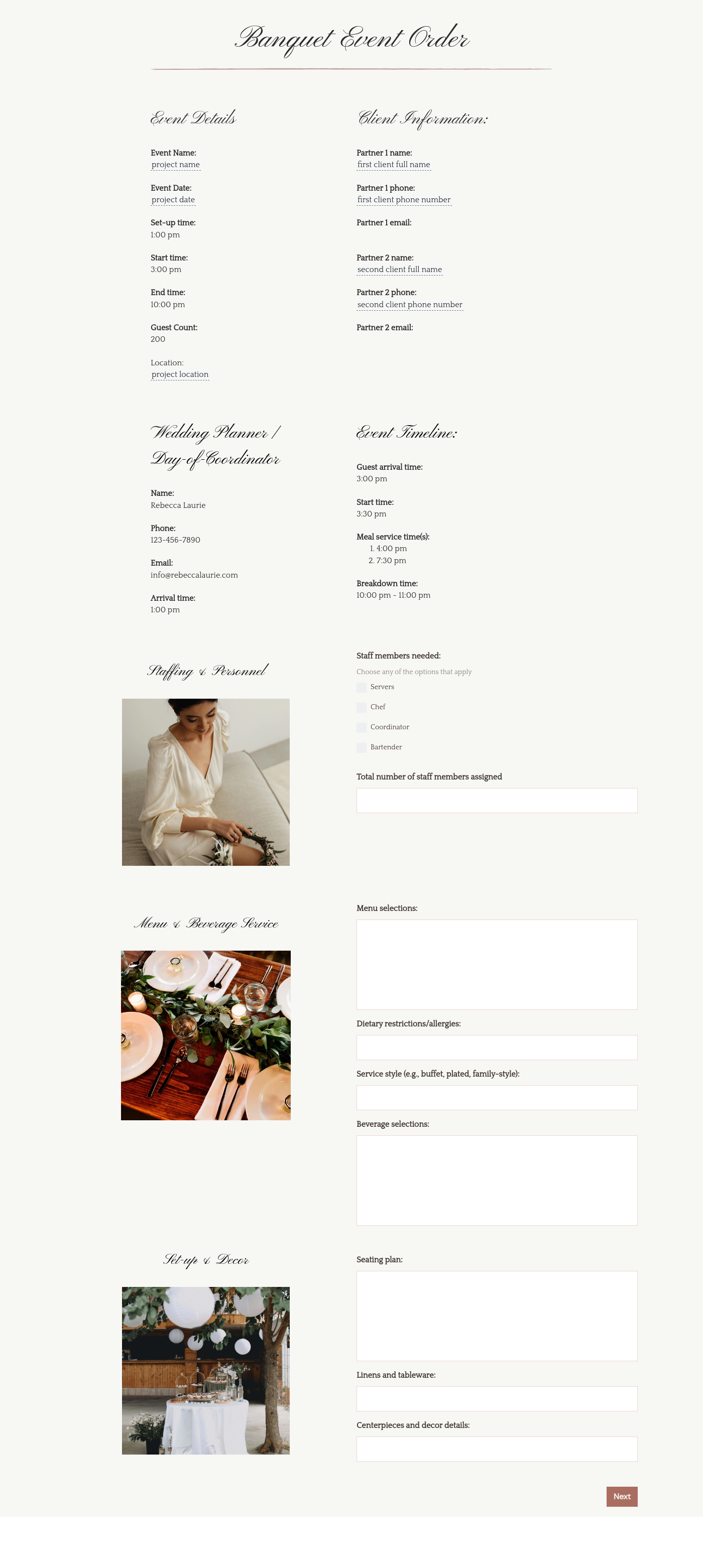
An event venue onboarding checklist enables you to help clients plan out their finances, guest list, event vendors, and more. It lets you handhold them through the process and makes event planning easier for them.
When a client chooses your venue for organizing their event, they trust you to guide them through the nitty-gritty of planning. Here’s how this event venue onboarding checklist helps:
- Lets you introduce yourself professionally and further reinforces your branding.
- Helps establish you as an authority in hosting events.
- Empowers the client by giving them a roadmap of what they need to do for planning their event.
- Reduces the risk of miscommunication and a lot of unnecessary back-and-forth.
- Saves clients’ time as they aren’t left to fend for themselves when planning the event.
- Provides clear timelines so they don’t lag behind with a lot to do at the last moment.
Your event venue onboarding checklist should be comprehensive enough for the client to gain some value from it. Here’s what it should feature:
- Welcome Message: Thank the client for trusting your venue with the event and give them a warm welcome.
- Clear Branding: The checklist should also include basic branding elements like your logo, font, and venue images.
- Logistics Plan: Include items related to transportation for the event day or for transporting any goods.
- Guest List: Add a brief timeline for compiling and finalizing the guest list for the event and for sending out invites.
- Vendor Selection: Provide checklist items related to selecting vendors for the event (caterers, photographers, and florists).
- Budgeting: The checklist should also include points related to the event budget that can help the client plan their finances better.
- Accommodation: Provide some pointers on accommodation planning and booking for multi-day events for out-of-town guests.
For event venues, the onboarding checklist is more about operational boundary setting. You must pay special attention to infrastructure limitations while customizing the checklist. It helps ensure that the client’s vision for the event doesn’t clash with the venue’s physical reality.
Along with the checklist itself, you should also consider adding useful contacts for event management, transportation, and accommodation. It could serve as a great value-add for clients.
This event venue onboarding template is most useful when a client has just booked your venue for an event or wedding. It serves as a great way to onboard them by helping them plan the other critical aspects of the event.
With the checklist, you can start your working relationship on the right note. It proves to the client that you genuinely care about their event and aren’t in it just for the business.
Catering has a lot of moving parts, and the menu sits in the center. If your catering menu is scattered across emails, texts, and screenshots, mistakes show up at the worst time.
A structured menu template helps in practical ways.
- Builds client trust and a professional first impression.
- Speeds approvals by making choices simple.
- Reduces payment disputes by documenting totals and terms.
- Saves time by cutting back and forth.
That means fewer surprises for clients and fewer fire drills for you.
Get started with an event venue onboarding checklist
Venue booking is often one of the first steps in organizing events. At this point, an event venue onboarding checklist can be the perfect way to help your new clients plan their event more effectively. And with our easy-to-customize event venue onboarding checklist, that becomes a breeze. Get it now.
FAQs
Below are quick answers to common questions from caterers building a catering menu that clients can approve with confidence.
As an event venue, when you provide an onboarding template to your new clients, it helps you build a stronger bond with them. It indicates that you’re taking an interest in making their event a success.
You can send the completely customized event venue onboarding template to your clients as soon as they book your venue and pay the advance fee. It serves two purposes: welcoming the client and providing more value to them.
Some major things you can consider adding to your checklist would be:
- Selecting event date
- Creating budget
- Booking key vendors for the event
- Compiling a guest list and finalizing it
- Hiring wedding/event planners
- Sending invites for the event
- Event logistics
It also helps to split the checklist into various timelines so clients can understand exactly when each task should be done.
Yes, all the templates on HoneyBook are responsive and can be used on smartphones of all sizes. You can customize them on the go and your customers can use them with ease too.
No, you can have multiple companies on HoneyBook and manage their templates separately on the platform. It helps you deliver a tailored client experience without creating multiple HoneyBook accounts.
Absolutely. All templates on HoneyBook can be saved so you don’t have to redo the entire customization process. You can easily reuse the saved templates and send them out.
Related templates









Related Templates
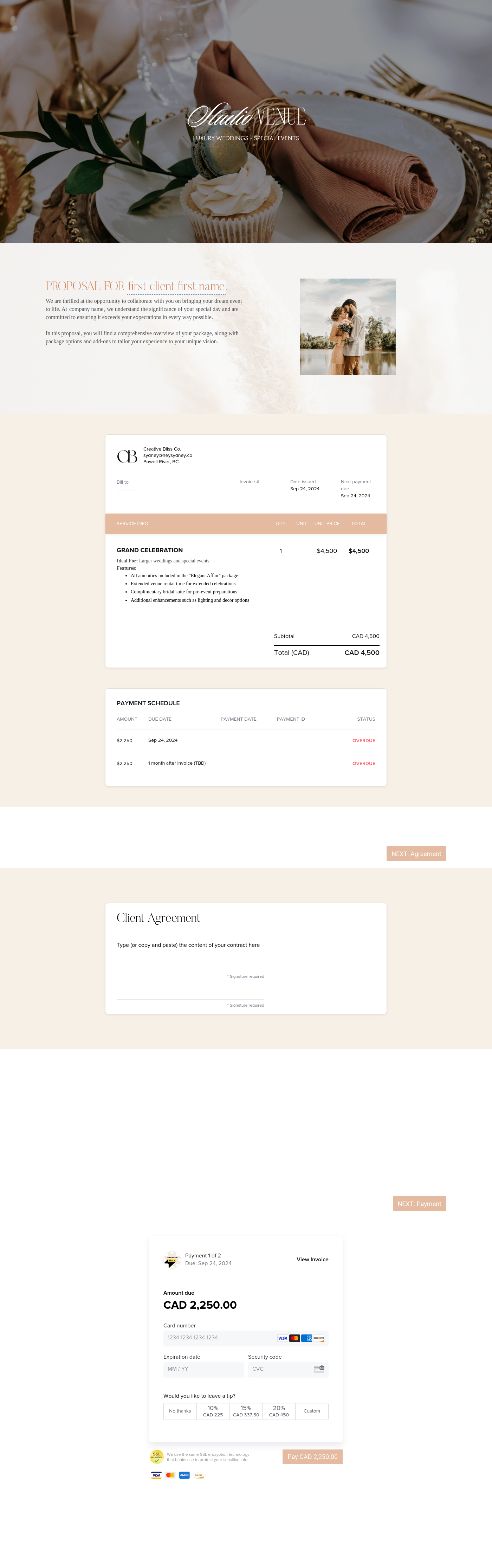

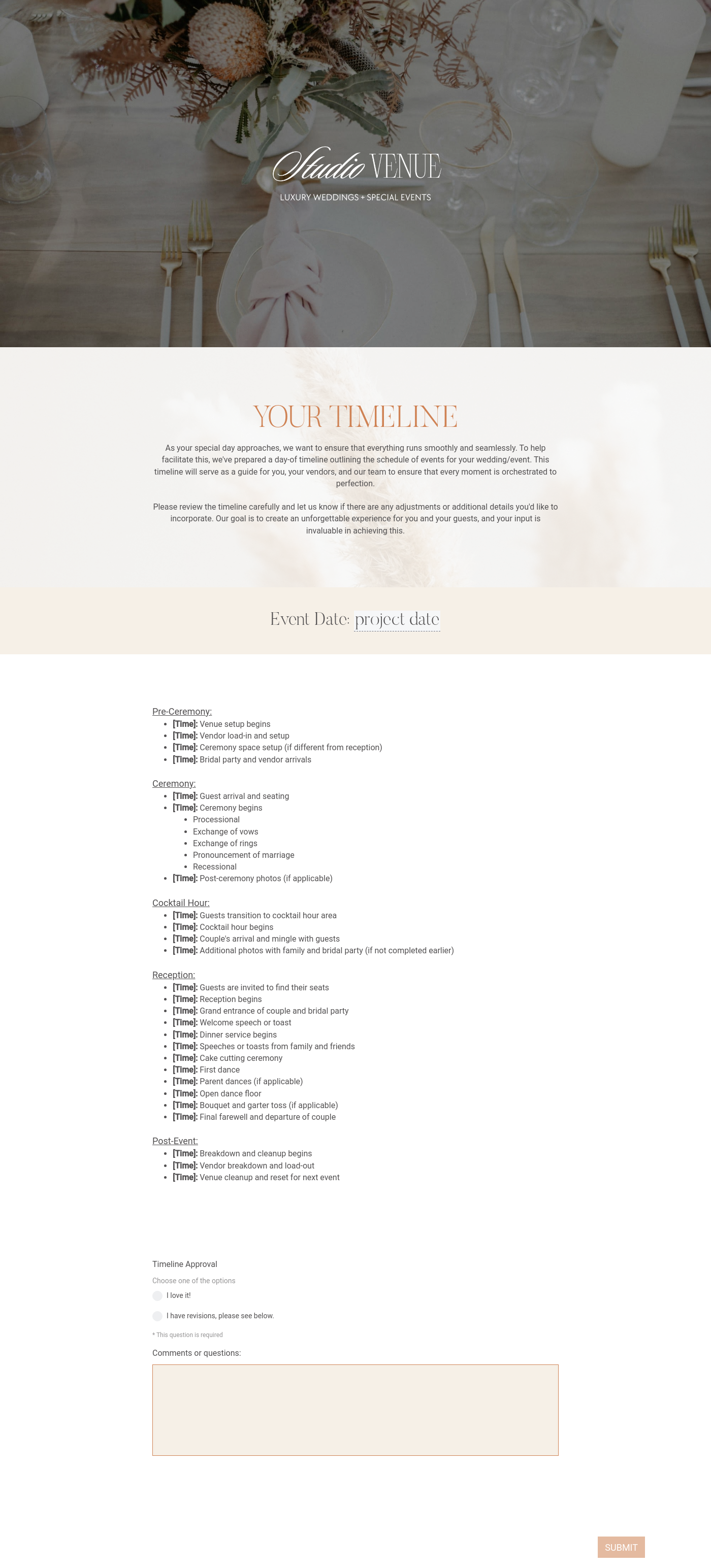


.png)
Make it your own
Fully customize the template to fit your needs. Quickly apply your company branding with just a few clicks.

Share with clients
Create exceptional client experiences through HoneyBook’s dedicated client portal, allowing them to read, review, and take action from any device.

Reuse and scale
Use your customized files with different clients again and again to save time and make managing client interactions that much easier.

Join the 100,000+ businesses growing with HoneyBook.
