















Questionnaire

Get client input, collect project details, and set expectations ahead of—or during—any project.

Ready-to-use copy
Templates come filled with prewritten copy you can use as is or edit to match your brand and business.

Scheduling
Let clients book meetings, sessions, or appointments during your available time slots.

Services
Showcase your services for easier client booking.


“
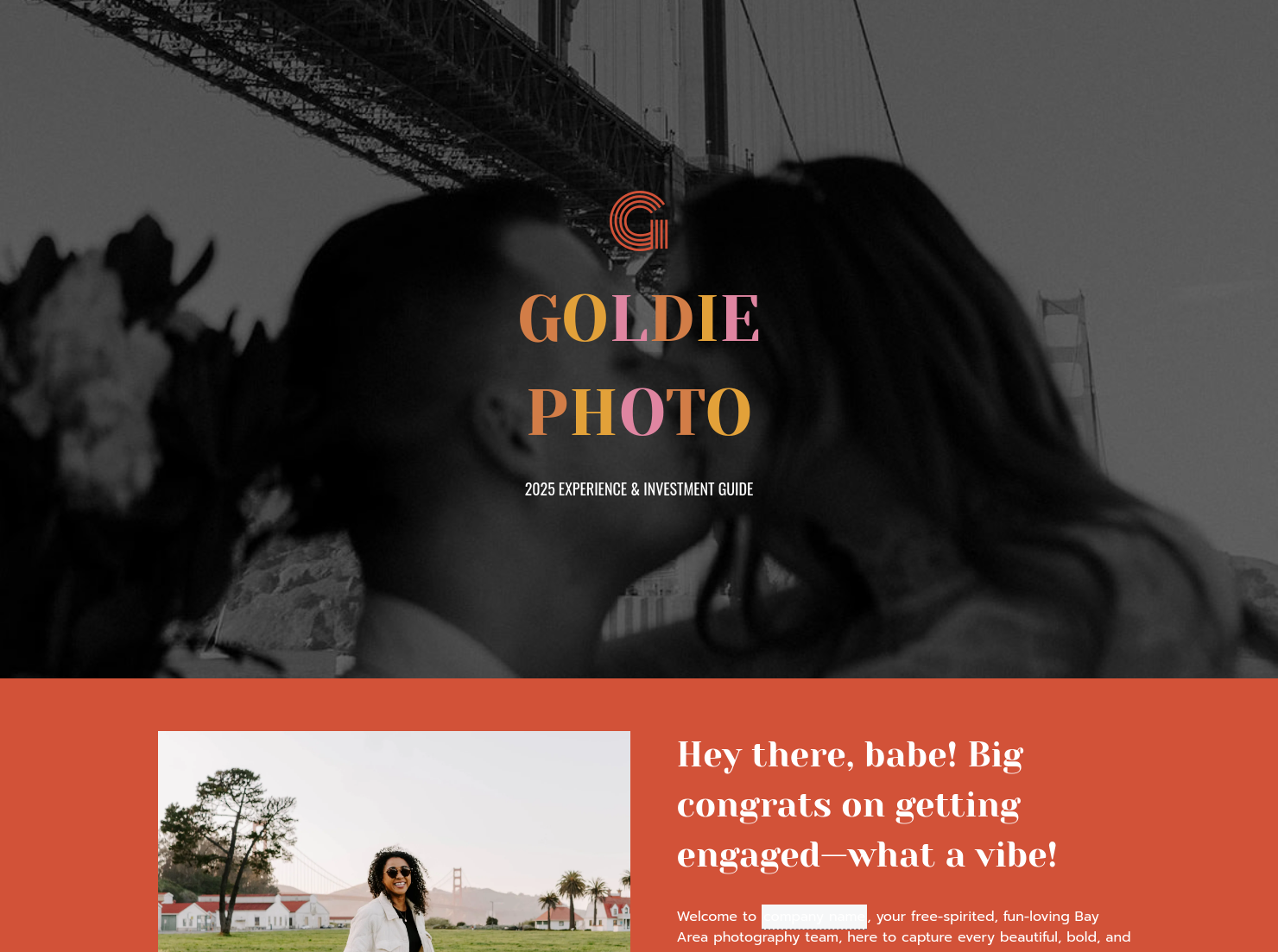
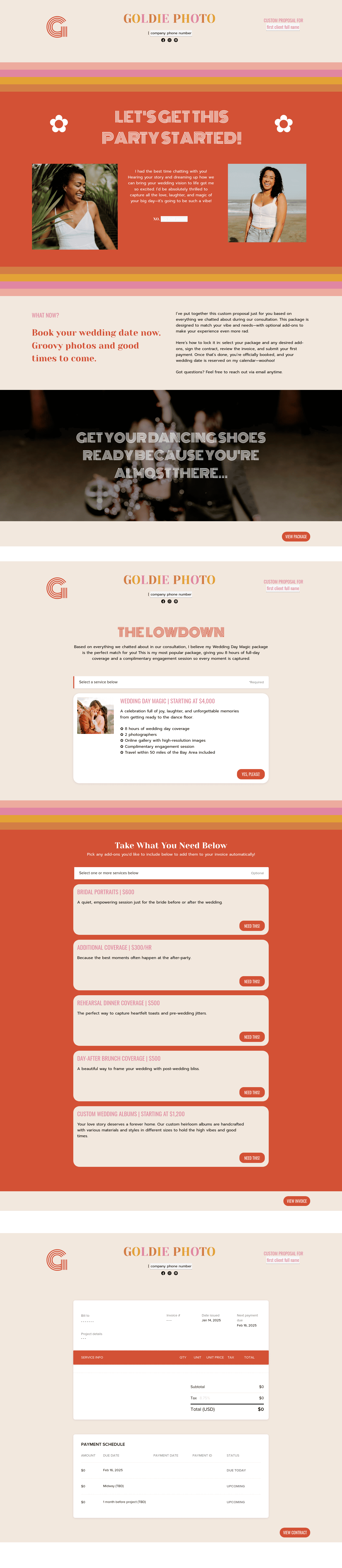
Use this template after the initial inquiry as a personalized guide to showcase your services, set clear expectations, and make it easy for potential clients to say yes to working with you!
”

October 18, 2026

Common mistakes to avoid when sending a Goldie pricing guide for wedding photographers
As a wedding photographer, which part of your workflow slows you down the most? Is it sending multiple non-visual PDFs just to explain your rates or spending hours breaking down what each package includes? Maybe it's going back and forth with clients focused on negotiating discounts rather than your value or struggling to communicate your value clearly from the start? Regardless of how many there are, the solution to them all is HoneyBook's Goldie pricing guide. This document helps you clearly communicate your packages, value, and process in one place, so clients can understand your offer and make decisions faster.
Pricing confusion often results in underpricing or missed opportunities. If clients don’t fully understand what each package includes, they’re more likely to focus on cost rather than value or compare you directly with competitors using incomplete information. It also creates unnecessary back-and-forth. Instead of moving clients toward a decision, you spend valuable time explaining packages, clarifying inclusions, and negotiating details that should already be clearly defined.
Our Goldie pricing guide contains every detail you need to book clients confidently. It helps you properly communicate your packages, rates, and expected value, removing confusion for clients and helping them make decisions quickly. In addition, you get the full benefits of HoneyBook’s features with your pricing guide. These include adding it to your Smart File and integrating it with other tools for a seamless workflow that supports faster, more efficient client bookings.
To distinguish your pricing guide from that of your competitors, make sure it contains the following:
- Business introduction and brand positioning: Start with a brief overview of your photography style, experience, and what sets you apart. This helps clients connect with your brand before they even look at your pricing.
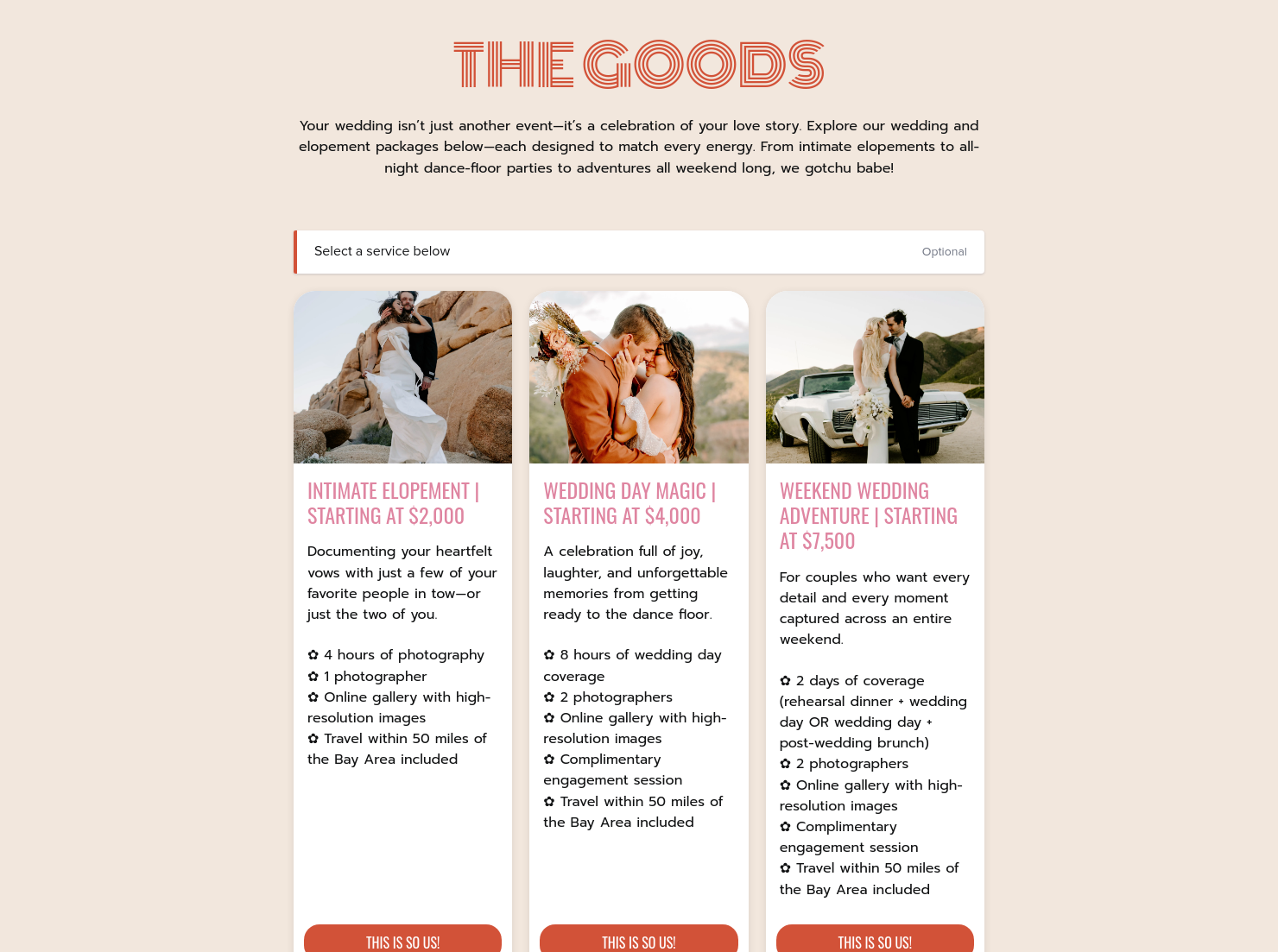
- Clear package breakdown: Present your packages in a structured, easy-to-scan format. Clearly outline what each tier includes, such as hours of coverage, number of edited images, second shooters, or albums, so clients can quickly compare options.
- Transparent pricing and add-ons: Include starting prices or full package rates, along with optional add-ons like engagement shoots, extra hours, or premium albums. This reduces unnecessary inquiries and sets expectations early.
- Visual portfolio highlights: Your work is your strongest selling point. Include curated images from recent weddings that align with the packages you’re offering to reinforce the value behind your pricing.
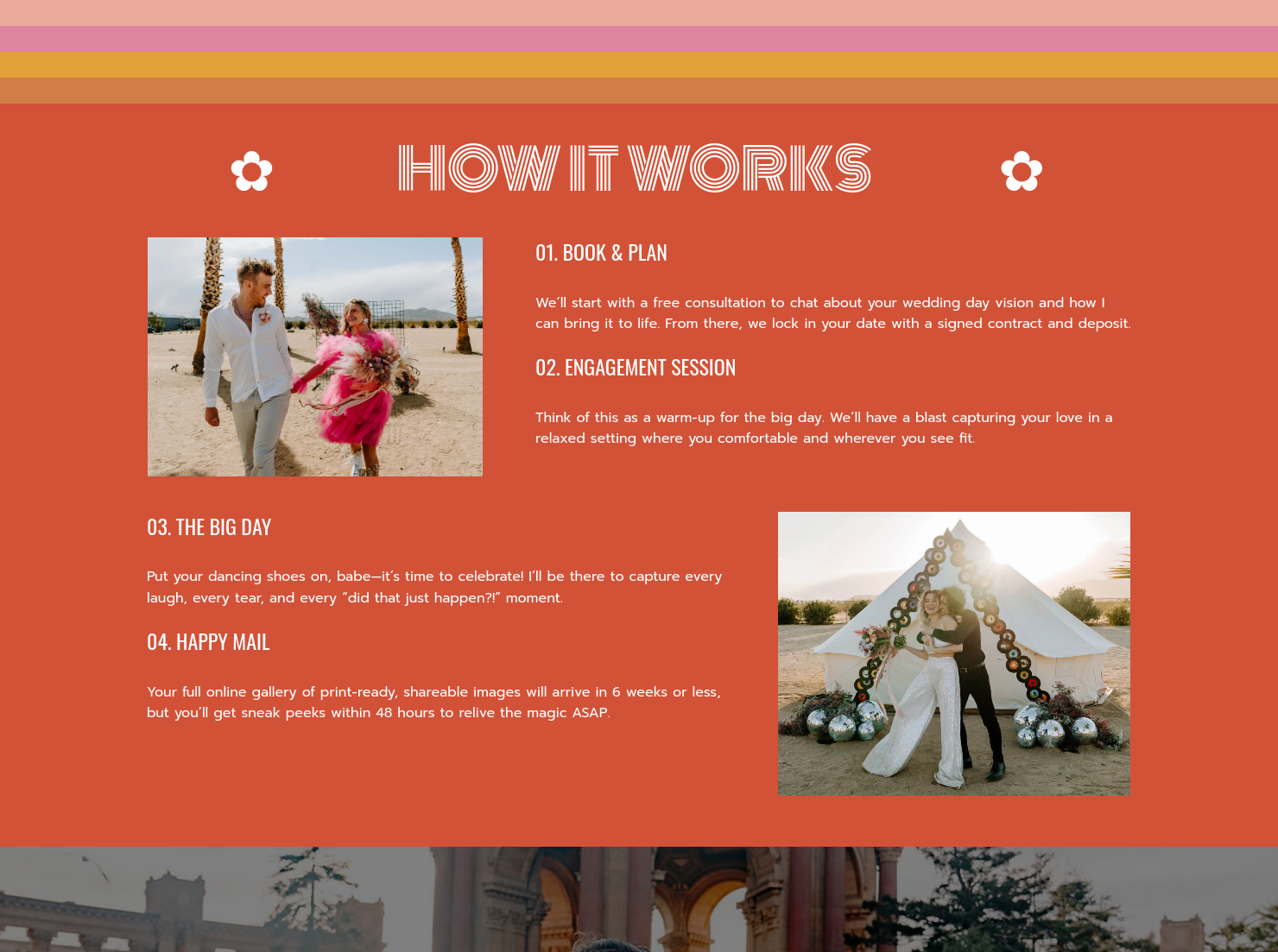
- Client process: Guide your client through your workflow. Use this section to outline the activities involved in the shoot, their timeline, and a brief explanation of what each entails.
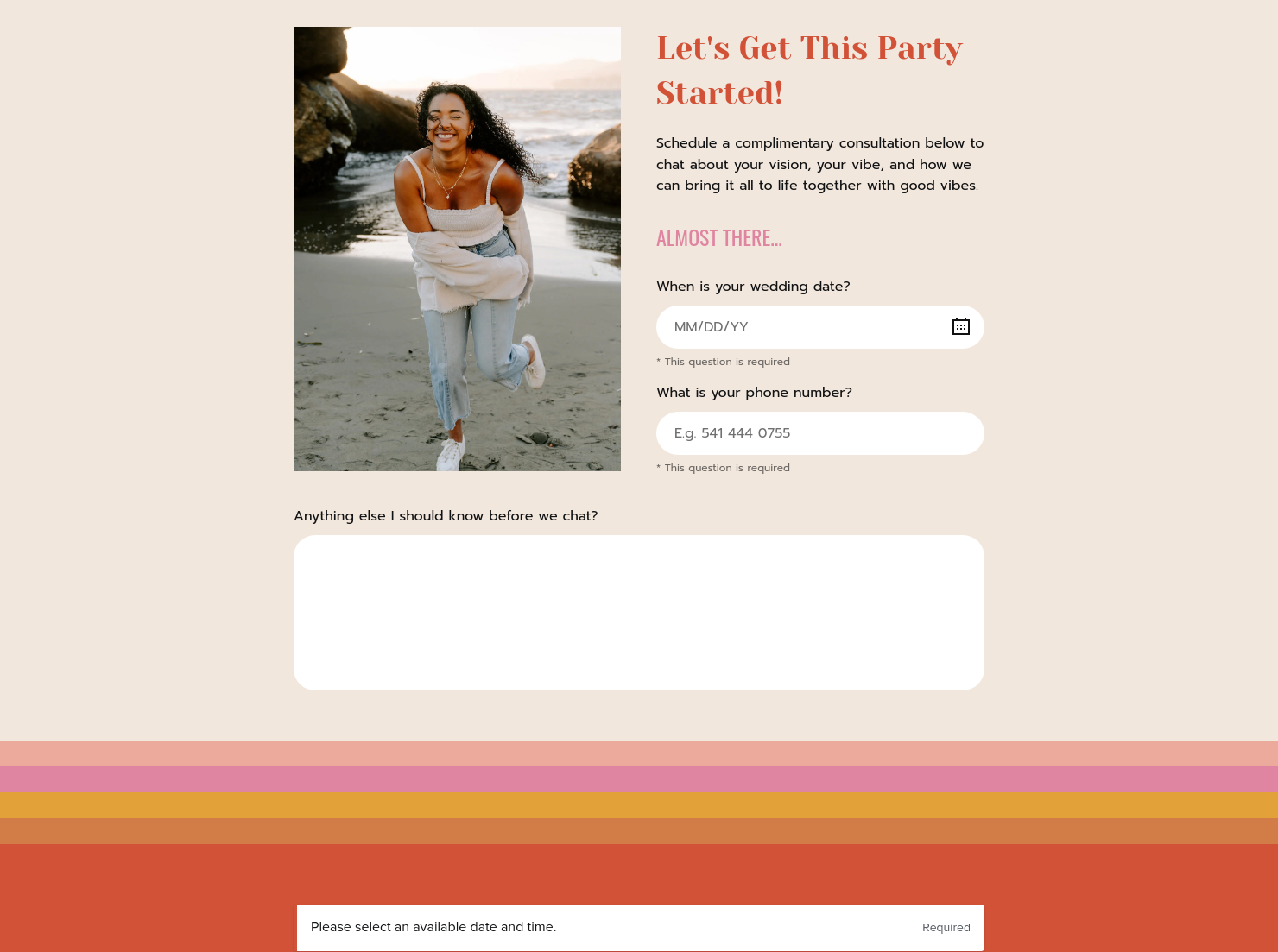
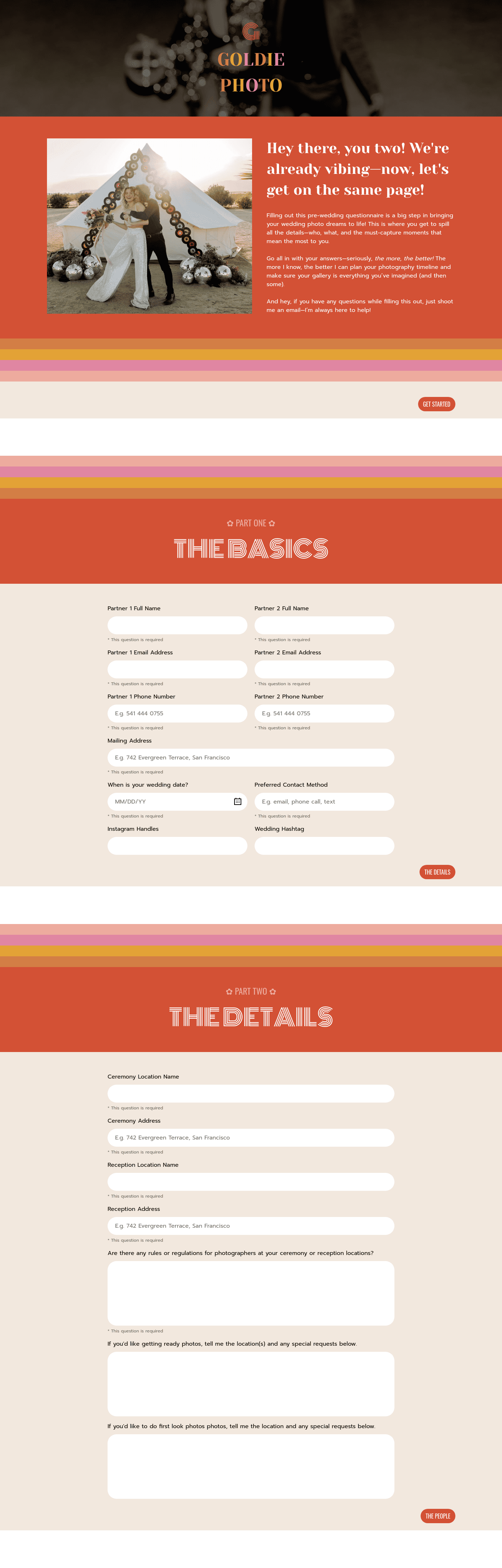
- Questionnaire: This is a structured form used to collect key details about the client. For example, the wedding date, phone number, style preferences, event planner or coordinator, and other expectations.
The key items detail the most important components of your pricing guide. However, it’s not enough to only have the parts that make up the document. It’s also crucial that these parts are properly designed and presented.
Firstly, the document should have a clear and easy-to-scan layout. It must be structured in a way that allows clients to quickly compare packages, understand inclusions, and find key information without effort. Then, attach high-quality images from your past jobs to convey a strong visual presentation, especially since this is a visual-based industry. Finally, tailor the guide to each client so the experience feels more personalized.
A pricing guide template, especially HoneyBook’s Goldie version, is a valuable document to have as a wedding photographer. When used at key stages of your client journey, it has the potential to positively improve their experience and place you in a better position. Here are some ways by which the document is helpful through the different stages of the client’s journey:
- It reduces the time spent on mismatched prospects by helping clients understand pricing early.
- It keeps your offerings, rates, and add-ons consistent as your business evolves.
- It standardizes communication and reduces repetition, creating a better structure for your small business operations
Catering has a lot of moving parts, and the menu sits in the center. If your catering menu is scattered across emails, texts, and screenshots, mistakes show up at the worst time.
A structured menu template helps in practical ways.
- Builds client trust and a professional first impression.
- Speeds approvals by making choices simple.
- Reduces payment disputes by documenting totals and terms.
- Saves time by cutting back and forth.
That means fewer surprises for clients and fewer fire drills for you.
Get started with a Goldie pricing guide template
If you’re ready for a better pricing experience with your leads and clients, then HoneyBook is exactly where to start. Try our Goldie pricing guide template today for improved booking, invoicing, and communication with your clients.
FAQs
Below are quick answers to common questions from caterers building a catering menu that clients can approve with confidence.
Send pricing upfront to set expectations and qualify leads before the consultation.
Yes, you can do this if you choose a platform that enables pricing guide customization, like HoneyBook.
HoneyBook templates are built to simplify the steps between inquiry and booking, so you can deliver a professional client experience while saving time on repeat tasks.
Yes. With the HoneyBook mobile app, you can create, customize, send, and manage templates and Smart Files from anywhere. This means you can respond to inquiries, share documents, and keep projects moving whether you’re at your desk or on the go.
Related templates









Related Templates






Make it your own
Fully customize the template to fit your needs. Quickly apply your company branding with just a few clicks.

Share with clients
Create exceptional client experiences through HoneyBook’s dedicated client portal, allowing them to read, review, and take action from any device.

Reuse and scale
Use your customized files with different clients again and again to save time and make managing client interactions that much easier.

Join the 100,000+ businesses growing with HoneyBook.
