










Choosing between Calendly alternatives: The best scheduling solution for small businesses
Start a Trial

Every service business needs a reliable online scheduling tool. When you’re juggling frequent meetings or appointments, the right scheduling software is the difference between staying organized and drowning in double-bookings.
Calendly is a well-known calendar management platform. This free software allows users to easily create their own online booking page—but it’s only one of many meeting scheduling apps on the market, and it may not be the right fit for your business’s needs.
Let’s compare some of the top Calendly alternatives so you can decide which tool is the best fit for your business.
Key takeaways
- A meeting or appointment scheduling software allows clients to view your calendar availability and book an appointment during an available time.
- These scheduling platforms reduce back-and-forth with clients and prevent accidental double bookings.
- Calendly is a popular scheduling tool, but it’s not the only option. HoneyBook offers similar scheduling features combined with an extensive range of business management features.
Calendly alternatives: Popular scheduling tools to consider
With so many options available, it’s hard to know which option is best for you. We’ve created a comparison chart for some of the best available tools to help you decide.
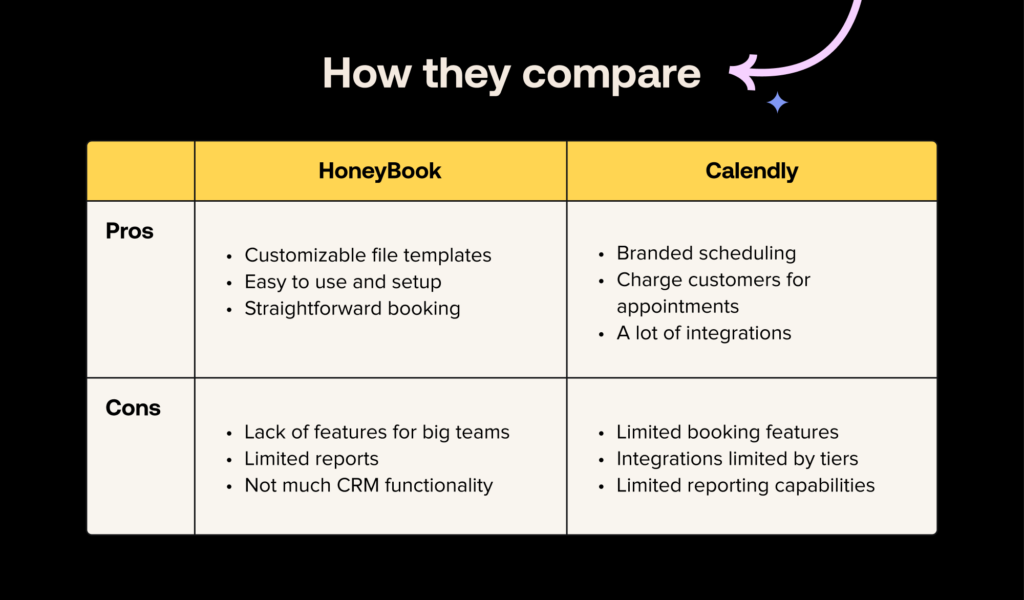
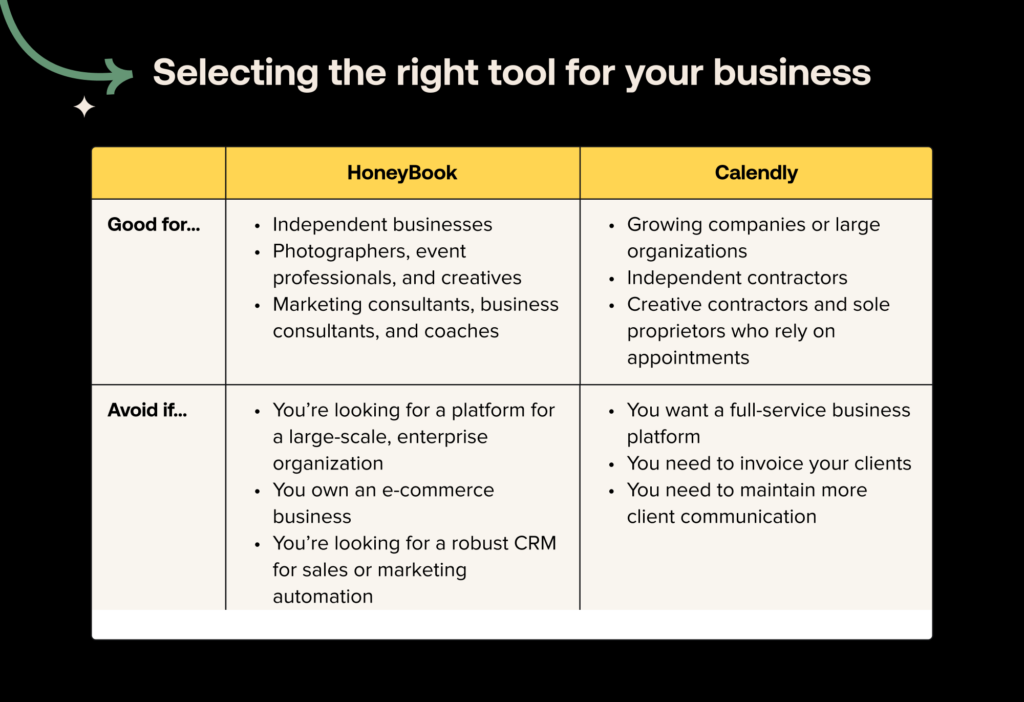
HoneyBook
HoneyBook is an all-in-one client management platform for small businesses—and it includes an online booking calendar where clients can book meetings or schedule appointments with you.
With HoneyBook’s scheduling features, you can add a booking widget to your website or send clients a direct booking link. You can sync your booking page with your existing Google Calendar or other online calendar apps you’re using to manage availability. And when clients book, they’ll get email and/or SMS reminders to reduce the chances of a no-show.
Scheduling is just one small part of HoneyBook’s functionality. HoneyBook also has features to manage the entire client lifecycle, including customer relationship management (CRM), proposals, contracts, invoices, and much more. See each client’s upcoming meetings, projects, communications, and more—all in one place.
Who HoneyBook is best for
HoneyBook works best for small businesses that need an integrated platform that combines scheduling with other helpful client management features.
Key features
- Custom booking page for meetings or appointments
- Small business CRM
- Digital proposals and contracts with e-sign option
- Online invoicing
- Payment processing and financial tools
- Automations and AI support, including automated meeting notetaking and summaries
What people love about HoneyBook
Customers love that HoneyBook’s features are easy to set up and intuitive for clients. That means clients can book meetings through the platform independently, reducing back-and-forth during busy workdays. HoneyBook also offers extensive integration options, including Google Calendar, Outlook, and more.
How HoneyBook can improve
Unlike Calendly, HoneyBook doesn’t have a free plan. However, there are several paid plans to choose from depending on your budget and desired features.
HoneyBook reviews
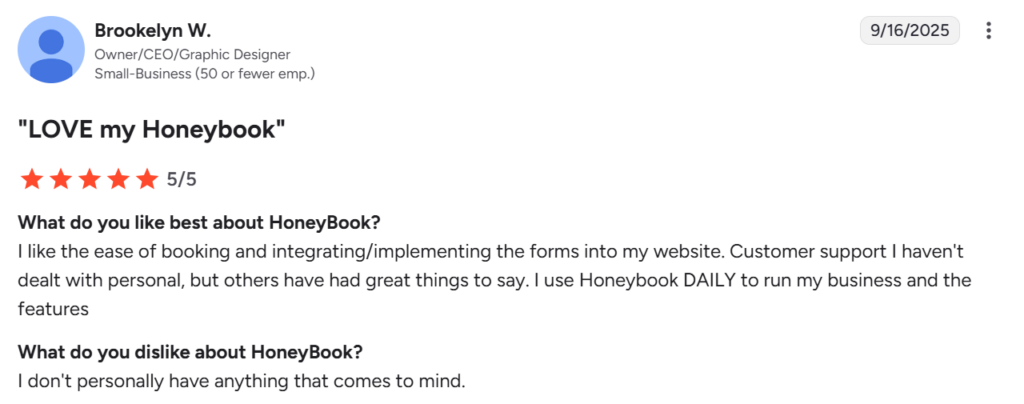
Source: G2
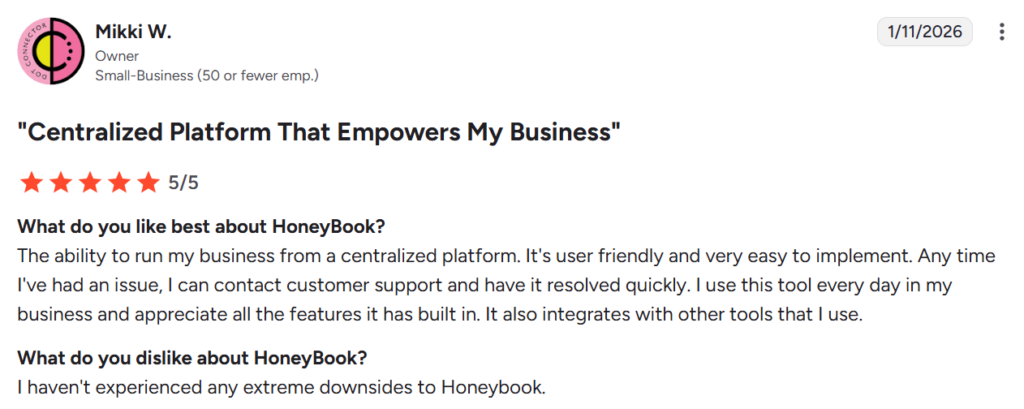
Source: G2

Schedule clients easily with HoneyBook
Skip the back-and-forth: Schedule meetings, sessions, consultations, and more in one click.
Get startedHubSpot
HubSpot is a comprehensive CRM that has since expanded to include marketing, sales, and customer service software. HubSpot offers a free meeting scheduler through its Sales Hub platform.
With HubSpot, you can create a booking link that syncs with either your Google Calendar or Office 365 calendar. This feature also works well for team scheduling, helping teams with busy schedules find the best window to meet. HubSpot’s meeting scheduler also includes AI features, which help with meeting prep, automated notetaking, and follow-up messages.
Who HubSpot is best for
HubSpot is best for busy corporate sales and marketing teams. These teams may already be using HubSpot CRM and want a scheduling tool that integrates with it directly.
Key features
- Meeting scheduling tool with AI-powered meeting support
- Advanced CRM that connects with internal data sources
- Sales tools for prospecting, outreach, and forecasting
- Marketing tools for social media, email outreach, SEO, and more
- Customer service tools to automate your help desk
What people love about HubSpot
HubSpot users enjoy having all their sales and marketing data in one convenient place. They also enjoy the platform’s automation features, which save time on manual tasks.
How HubSpot can improve
HubSpot is a very complex platform with lots of features, especially if you’re using it across different departments. This means the setup and customization process can take a long time, and it might be overcomplicated for small businesses.
HubSpot reviews
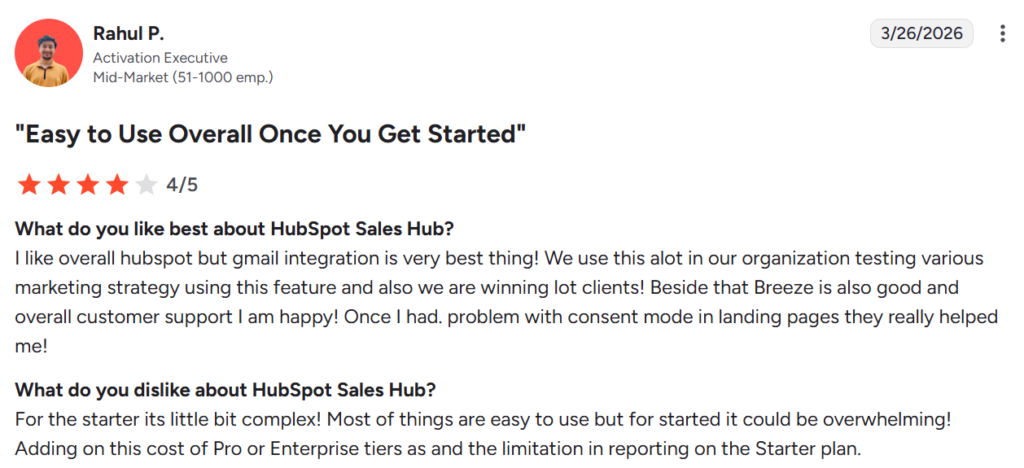
Source: G2
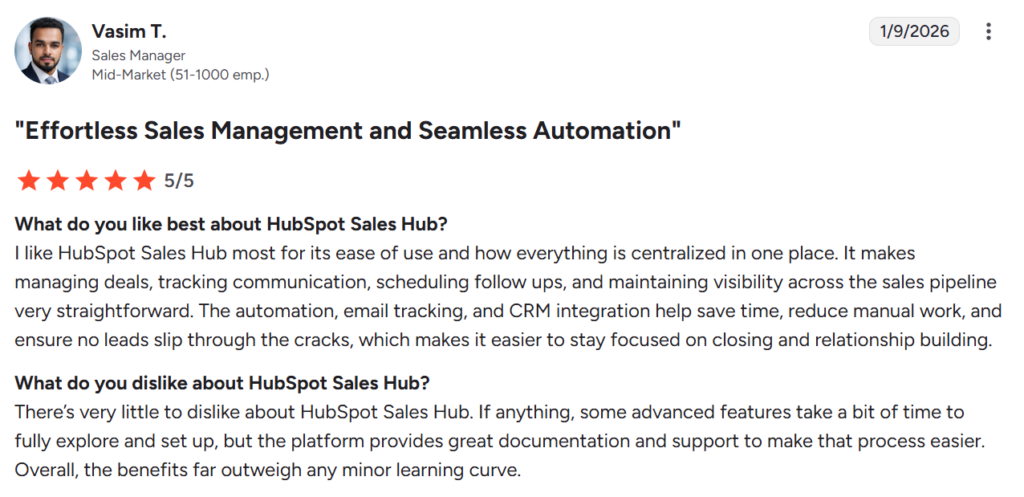
Source: G2

Ensure consistent communication
Use HoneyBook to manage all of your client communication in one place.
Get startedCal.com
Cal.com is a simple scheduling tool that’s similar to Calendly. Business owners can create a custom booking link, integrate it with their calendars, and set up meeting notifications. It works for both individual and team scheduling.
Who Cal.com is best for
Cal.com is best for business owners or teams who need a customizable business scheduling app but don’t necessarily need additional business management features.
Key features
- Ability to create a custom booking link or embed a scheduling widget on your website
- Connects with a variety of digital calendars
- Supports a variety of event types, including built-in video calls
- Integrates with Stripe to process payments for meetings
- Cal.ai AI phone agents that confirm meetings ahead of time to reduce no-shows
What users love about Cal.com
Users love how flexible Cal.com is, as well as its integration directly with booking pages and various project management tools. They particularly love that it integrates with popular video conferencing tools like Google Meet, Zoom, and Microsoft Teams.
How Cal.com can improve
Users note that Cal.com has a wide range of advanced setup and integration options, but that there isn’t enough built-in guidance for some of these options, and they can be tricky to set up.
Cal.com reviews
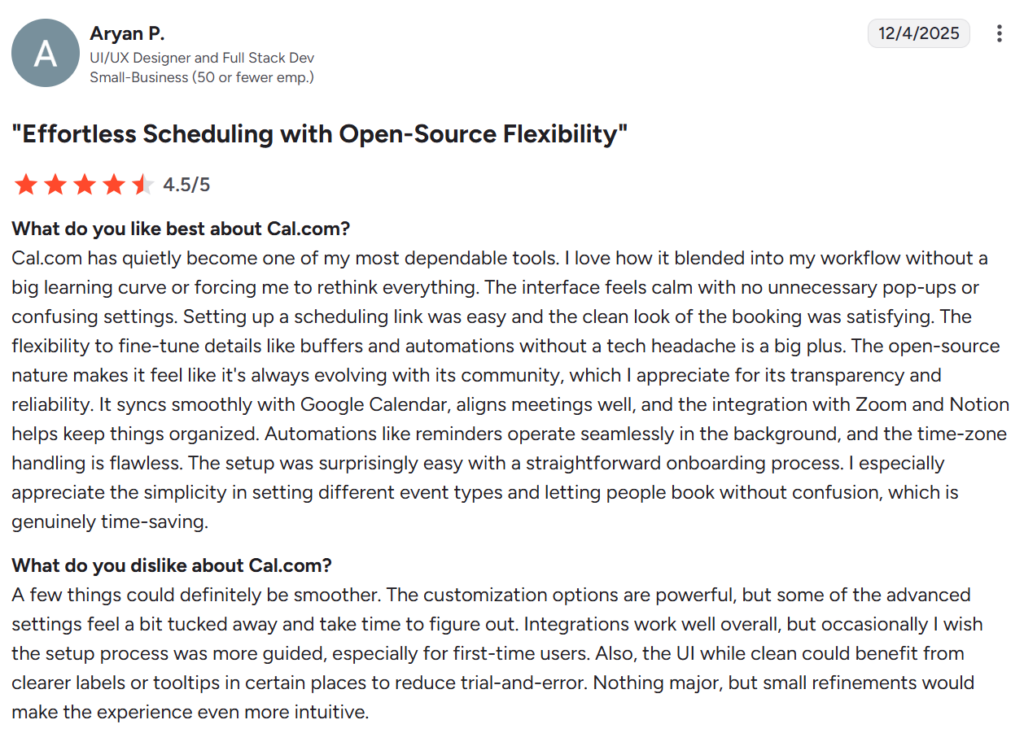
Source: G2
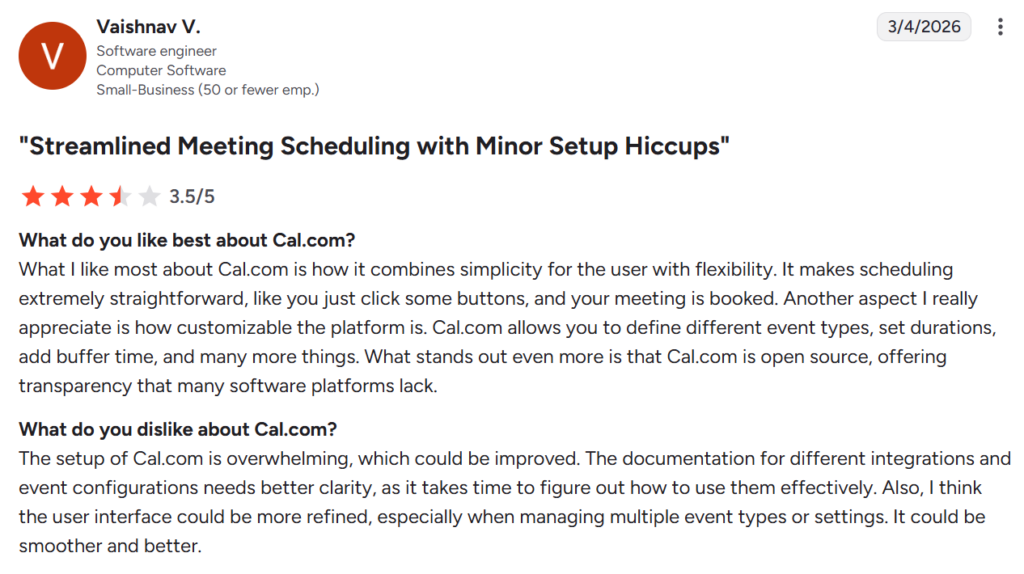
Source: G2

Protect your business
Use HoneyBook’s ironclad contract templates to protect your business and clients.
Get startedSimplyBook.me
SimplyBook.me is another one of the top apps like Calendly on the market. Service providers use this platform to run scheduling and appointment booking smoothly. With SimplyBook.me, you can schedule in-person or online meetings, process payments with a Stripe integration, and even promote a booking page on social media.
Who SimplyBook.me is best for
Service providers like beauty professionals, coaches, and even healthcare providers who need a way to manage appointments and process payments.
Key features
- Custom online booking page and mobile app for customers
- Process payments with Stripe
- Integrations with social media platforms to accept direct bookings and run ads
- SMS, WhatsApp, and email reminders
- Classes, memberships, and other subscription options for repeat bookings
What people love about SimplyBook.me
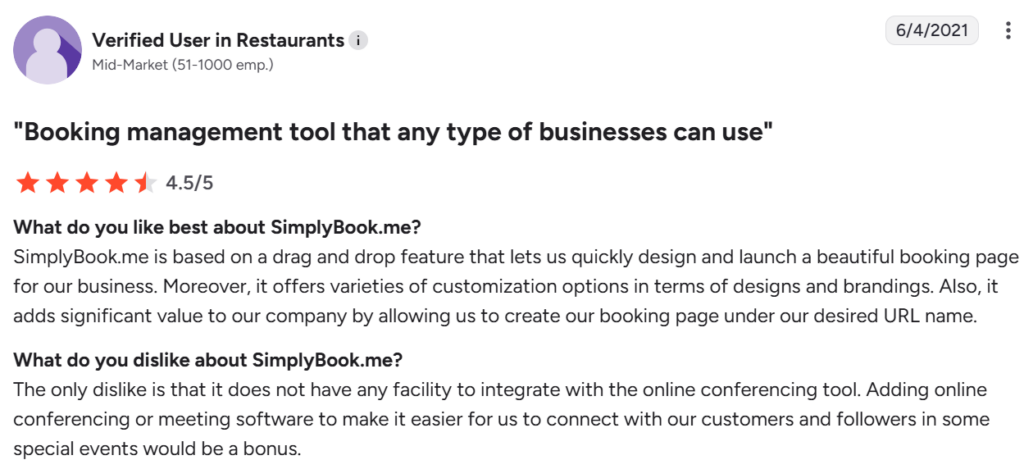
Customers love SimplyBook.me’s booking pages, saying that they’re visually appealing and easy to use. Set up requires minimal technical experience.
How SimplyBook.me could improve
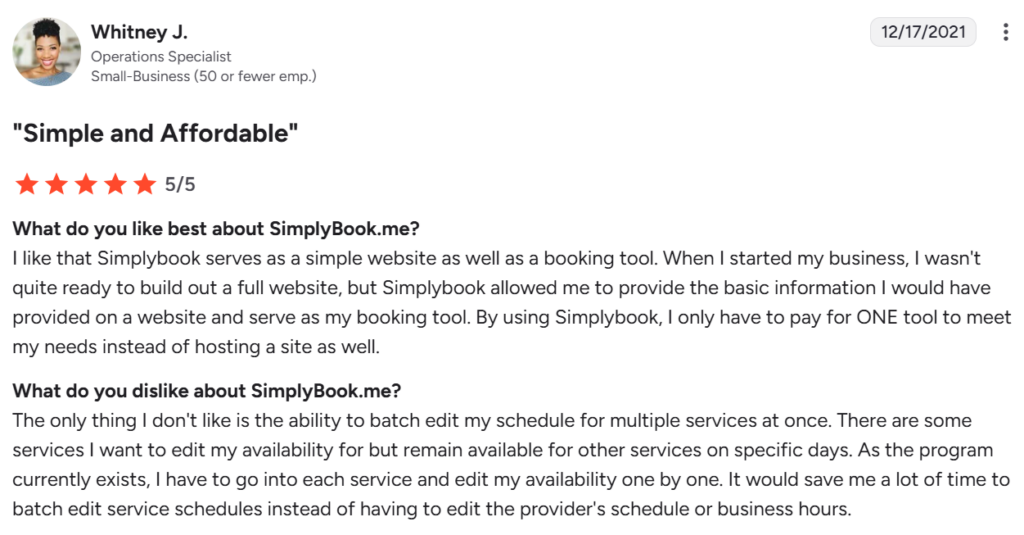
SimplyBook.me doesn’t integrate directly with every video conferencing platform, and some integrations require a third-party connection with Zapier. Additionally, customizing your schedule on the platform can be time-consuming if you offer multiple service types or have multiple business locations.
SimplyBook.me reviews
Source: G2
Source: G2
Let clients book you without the hassle.
Share your availability and let clients pick a time that works; no more back-and-forth email chains.
Try the schedulerTrafft
Create your own booking website with Trafft, an appointment scheduling platform. You can customize it to support multiple locations and employees, and accept payment directly through the app.
Who Trafft is best for
Trafft is best for appointment-based businesses that have multiple locations or large teams and need a customizable scheduling tool.
Key features
- Customizable online booking page
- Integrations with Google Calendar, Outlook, and Apple Calendar for scheduling and notifications
- Bookable via social media
- Supports schedules across multiple locations and employees
- Custom appointment reminders with options to reschedule or cancel
- Option to process and refund payments for meetings
What people love about Trafft
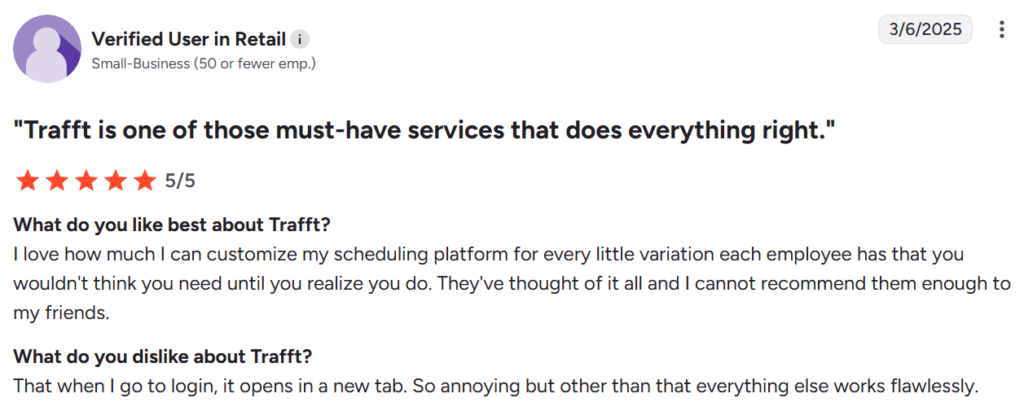
Customers appreciate Trafft’s extensive customization options, letting you tailor them to fit your scheduling needs.
How Trafft could improve
Trafft’s integration options are limited when compared with other platforms, although you can use Zapier to build your own integrations.
Trafft reviews
Source: G2

Source: G2
Find the scheduling tool that works best for your workflow
To find the best Calendly alternative for your needs, start by thinking about the scheduling problems you want to solve. Do you just need a way for clients to book meetings, or do you need a platform like HoneyBook that also handles payments, contracts, and client communication?
When choosing a scheduling tool, make sure that it supports your preferred meeting types and that it integrates with the software you’re already using. And don’t forget to consider how the scheduling tool will fit into your budget. Many platforms offer several tiers of paid plans, so you can choose the features that make sense for your current business stage.
HoneyBook is the best all-in-one tool for small businesses, and we offer free migration to help you switch from your current tool to ours. Start your free trial today.
Schedule clients easily with HoneyBook
Skip the back-and-forth: Schedule meetings, sessions, consultations, and more in one click.
Get startedFAQ
Who competes with Calendly?
Some top Calendly competitors include HoneyBook, HubSpot, and Cal.com, all of which offer scheduling software for different business types.
What is the best free meeting scheduling software?
Calendly offers a free tier, but features are limited. Alternatively, HoneyBook includes scheduling features as part of its monthly subscription. That means you get scheduling, a CRM, invoicing, contracts, and more, all in the same paid plan (rather than paying a separate subscription fee for each feature).
What are some apps similar to Calendly?
Some apps that are similar to Calendly include Acuity Scheduling and Doodle, which offer basic scheduling functionality. HoneyBook is also a popular choice that offers both scheduling and client management features.
What’s better, HoneyBook or Calendly?
HoneyBook is better if you want to manage every client interaction in one place. With HoneyBook, meetings, contracts, and invoices are all in the same platform, whereas Calendly requires third-party integrations.

Brittany is on the UX Research team at HoneyBook and conducts unbiased competitor research to better understand how HoneyBook fits into the landscape of platforms for small business owners. She enjoys speaking directly with HoneyBook users to understand more about their businesses and pain points. In her downtime, she loves reading and spending time outside around the Detroit area.





